How to Sync Customers from QuickBooks
|
This article relates to the following pro-Forms modules: |
Once pro-Forms® is connected to QuickBooks, you can import your existing QuickBooks contacts as customers rather than adding them manually.
Using the menu on the left, navigate to 'Admin' and then 'External Services'. Then click the 'Quickbooks' option.
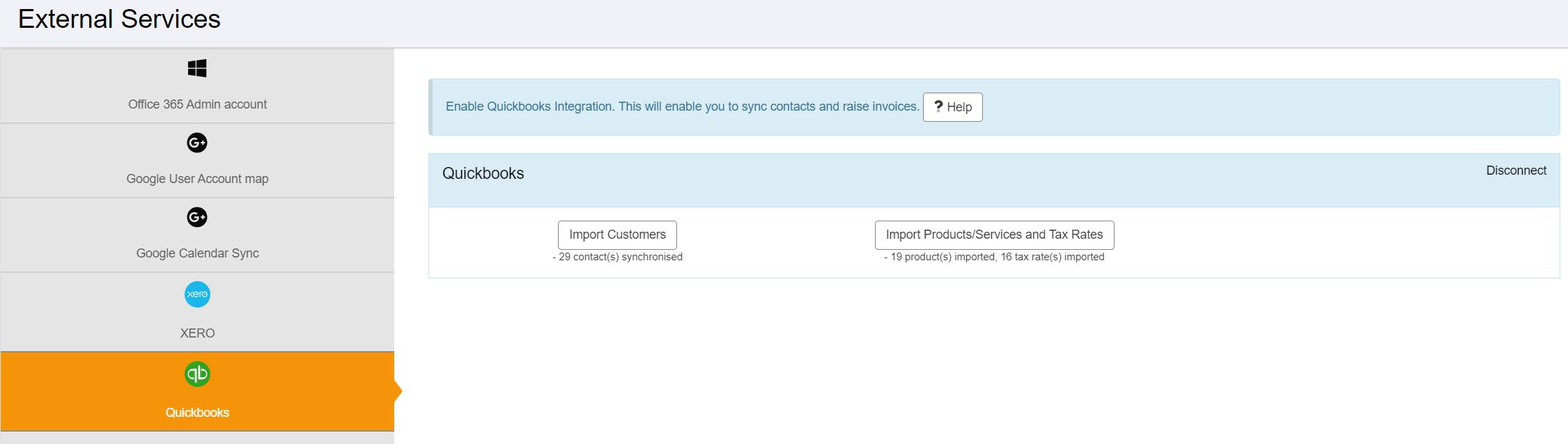
Click the 'Import Customers' button to start the import process. Upon clicking, your contacts in Quickbooks will be downloaded allowing you to select which ones to import.
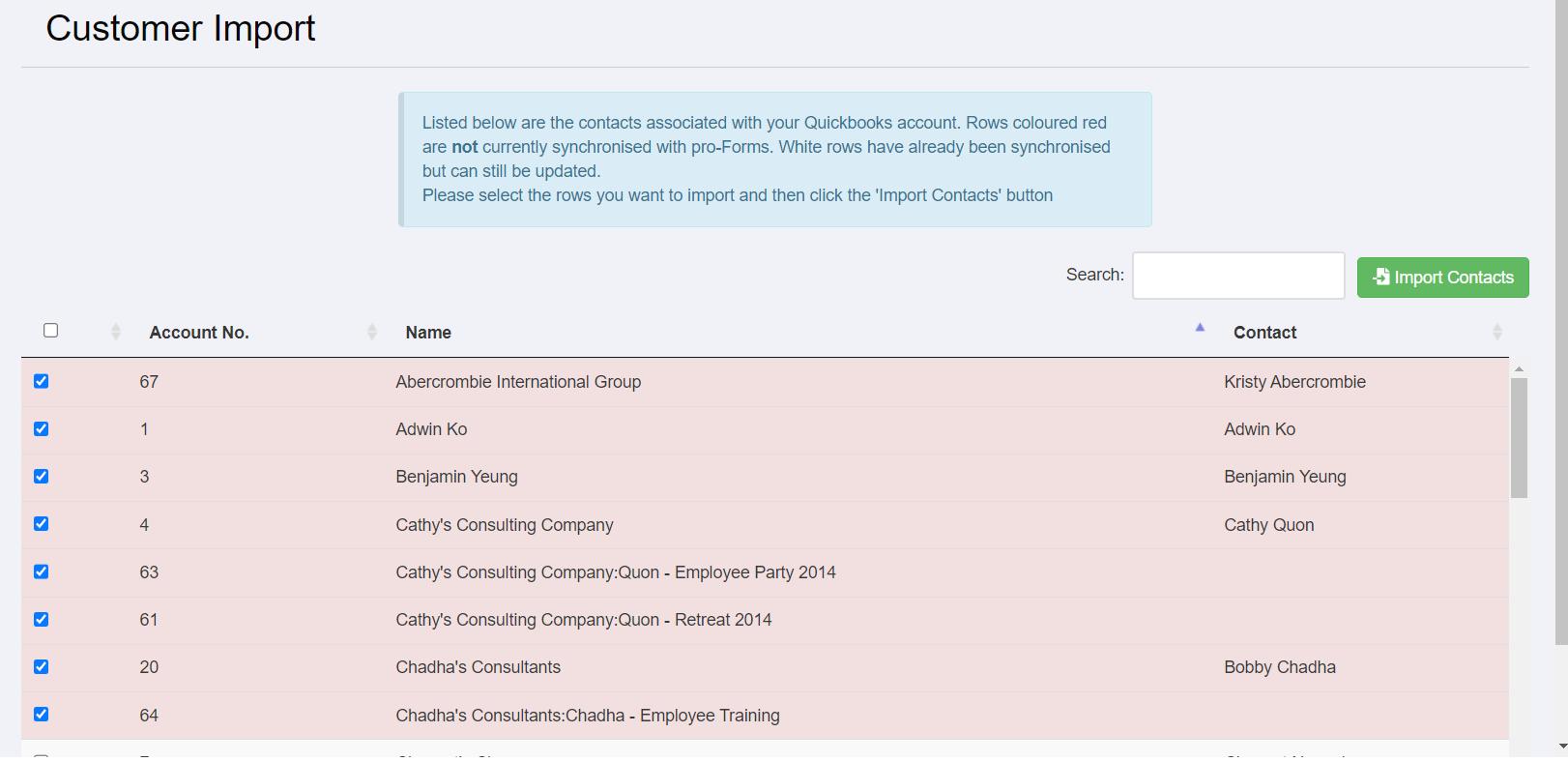
Rows highlighted in red have not previously been imported and will be automatically selected. Once you have selected all the contacts needed, click the 'Import Contacts' button.
Tip: if a customer you expect to see isn't listed, check the contact is active in QuickBooks, then re-run the import.