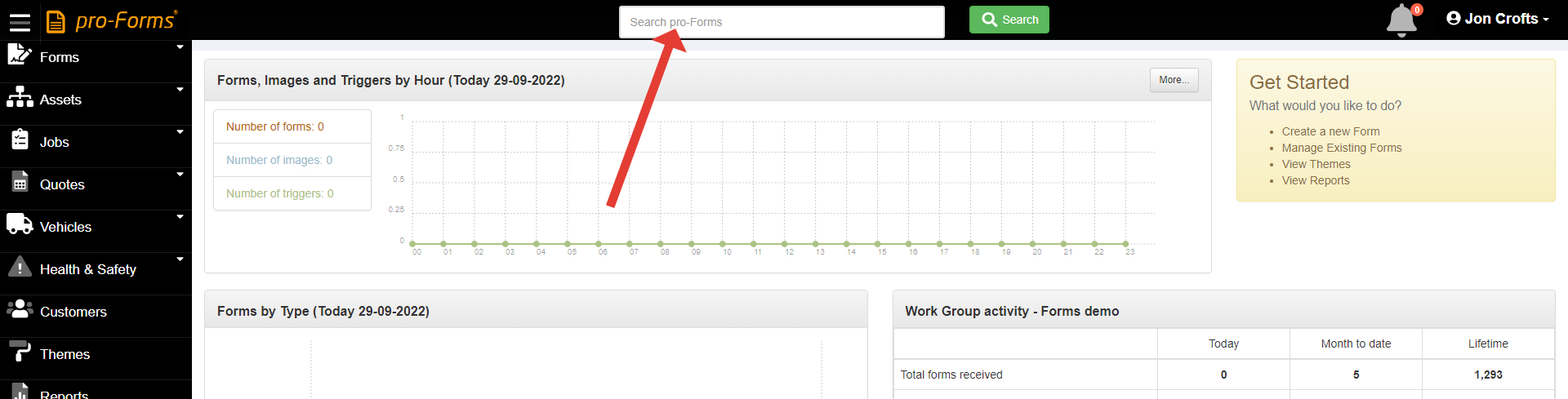
Using the Super Search option
The pro-Forms® Super Search' located at the top of the screen in your Work Group.
Using this search box is a very quick & convenient way to use one search to find information in several different parts of the system. Simply type in what you are looking for and click 'Search' - the system will then try to match this against :-
The search will list all matches found and show which section of the system it has located them in. Clicking the link against each will load the form/ job/ asset/ customer etc found.
Using this search will save you time and reduce the number of clicks required to find information.
Please note : only the last 6 months of data will be searched.
Article ID: 32
Created: September 29, 2022
Last Updated: September 16, 2024
Author: Administrator
Online URL: https://www.pro-forms.co.uk/kb/article.php?id=32