|
This article relates to the following pro-Forms modules: |
Assigning the right field workers to a job visit in pro-Forms® WORK MANAGER ensures the visit appears in their mobile app and they have access to the correct forms and job details.
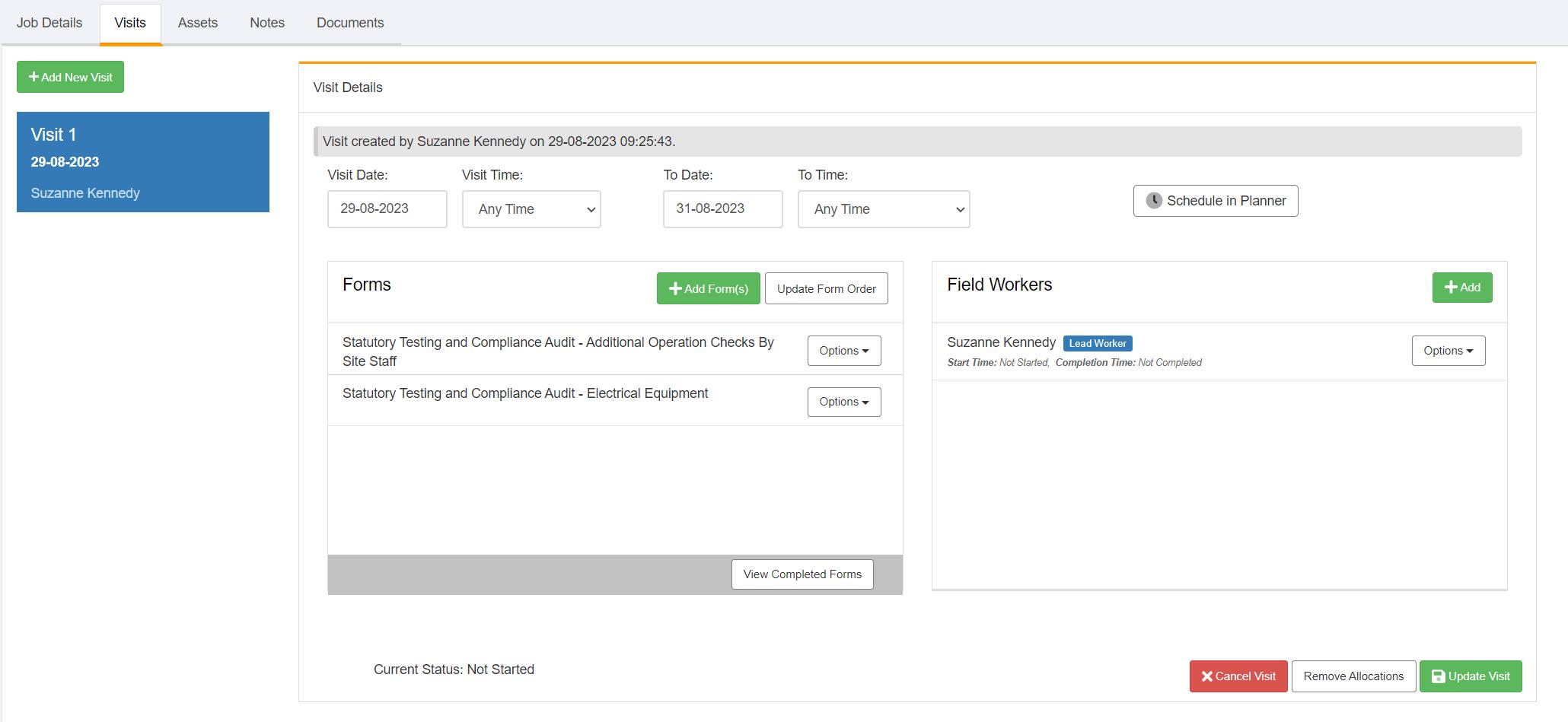
To manually assign field workers to a visit, edit a job from the basic or advanced search screen then go to the 'Visits' tab. Then click the relevant visit from the list presented:
Click the 'Add' button in the 'Field Workers' section on the right.
Using the search options provided, locate and select the field workers for this visit:
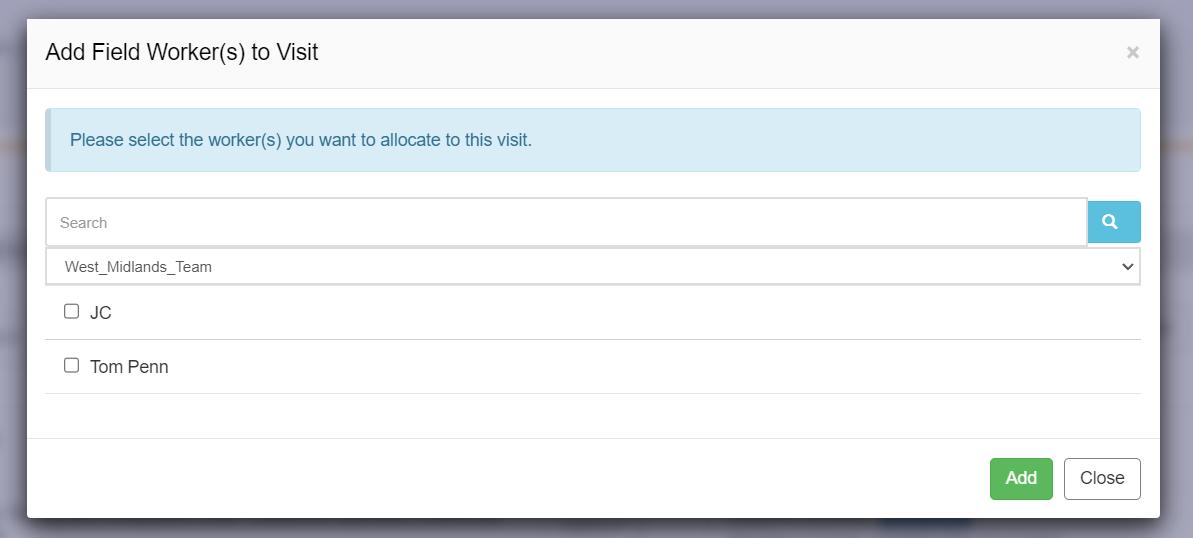
Once selected, click the 'Add' button.
Once assigned, the visit will appear in the relevant field worker's mobile app task list
Article ID: 52
Created: August 29, 2023
Last Updated: August 4, 2026
Author: Administrator
Online URL: https://www.pro-forms.co.uk/kb/article.php?id=52