
|
This article relates to the following pro-Forms modules: |
If a job involves multiple visits, pro-Forms® WORK MANAGER lets you combine all the associated costs into a single invoice rather than raising one per visit - useful for jobs billed to the customer as one piece of work.
If you require only one invoice per job, pro-Forms allows you to group costs for multiple visits.
When viewing a job, click on the 'Job Costing' tab:
If a job has multiple visits, a new button labelled 'Consolidate Visit Costs' will appear. Clicking this will show a dialog window containing the costs for each visit:
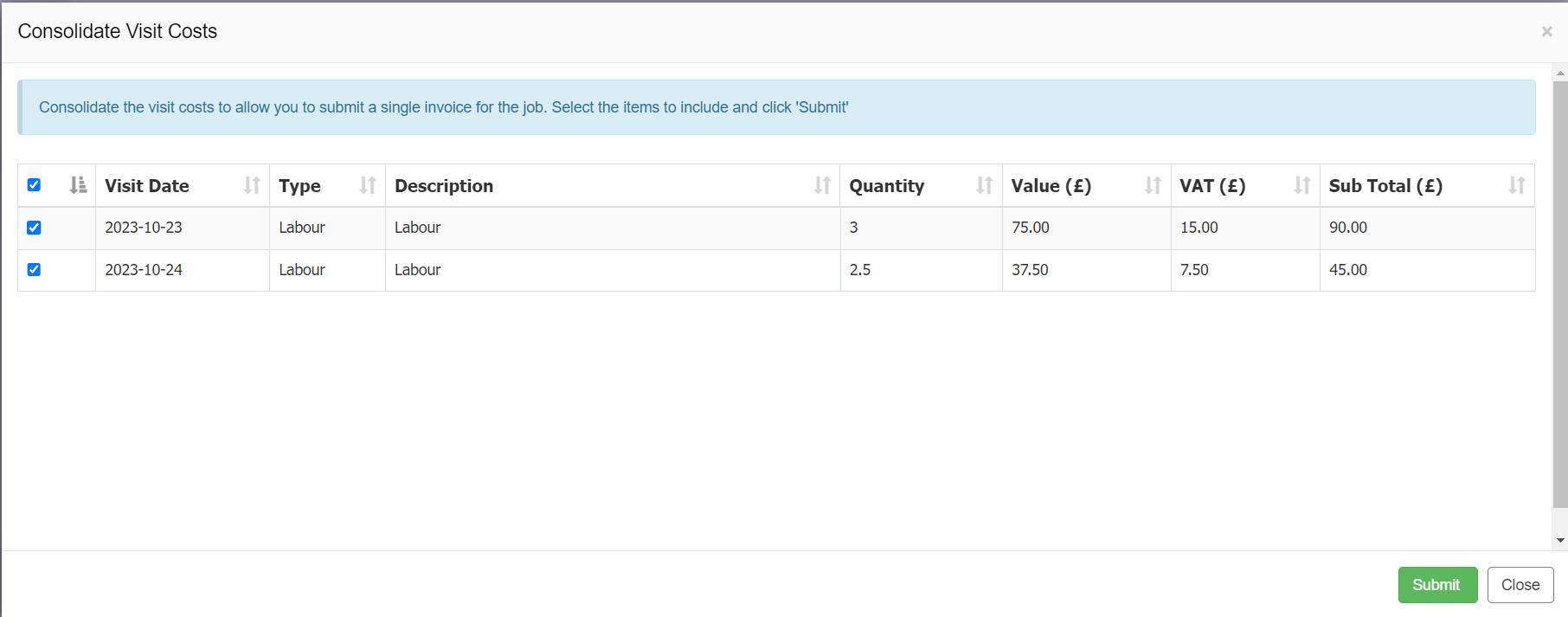
All items are selected by default and can be deselected as needed. Click the 'Submit' button to consolidate the items against the job.
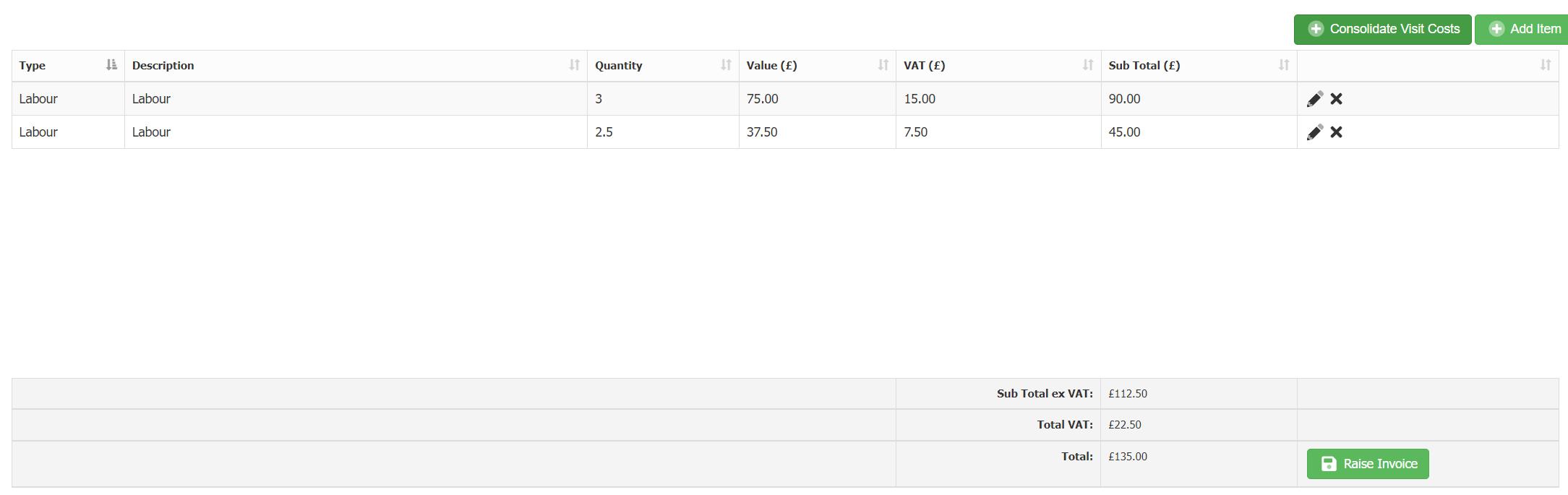
Click 'Raise Invoice' to raise a draft invoice.
Article ID: 55
Created: October 27, 2023
Last Updated: August 4, 2026
Author: Administrator
Online URL: https://www.pro-forms.co.uk/kb/article.php?id=55