|
This article relates to the following pro-Forms modules: |
Work items allow you to specify the work that needs to be done against a job. To start adding work items you must first add a work item group. A work item group simply groups related work items together.
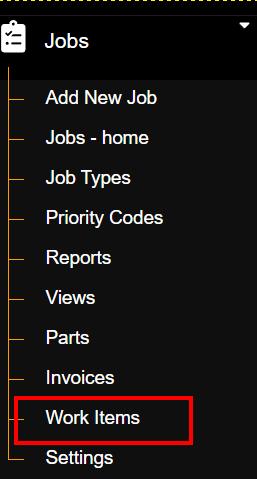
To create a Work Item Group, expand the 'Jobs' menu item on the left side of the screen and then click 'Work Items';
The Work Items group list will then load in the main window. To add a new Work Item Group, click the 'Add Work Item Group' button:

Within the window that opens, type your group name and then click 'Submit' :
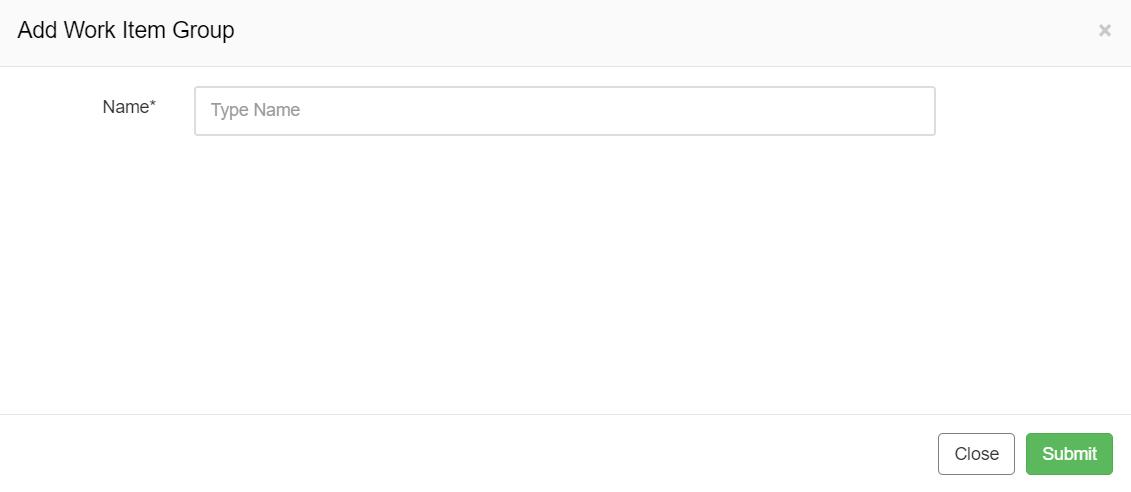
Upon submission, you will be redirected to the Work Item Group edit page.
Article ID: 79
Created: November 26, 2024
Last Updated: November 27, 2024
Author: Administrator
Online URL: https://www.pro-forms.co.uk/kb/article.php?id=79