|
This article relates to the following pro-Forms modules: |
There are a number of quick and bulk action tools available on the Assets - home page.
These are designed to simplify actions you wish to carry out on one or more assets including:-
Step 1
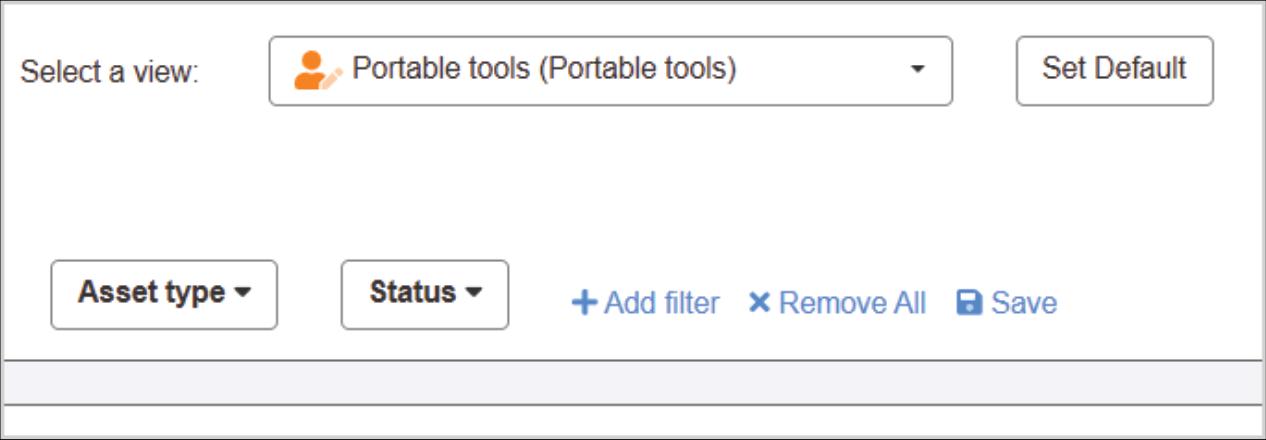
- locate the assets you want to perform actions on by going to Assets - home screen and using the selection tools to identify the assets:-
Step 2
- tick the box to the left of each asset to perform the actions on :-
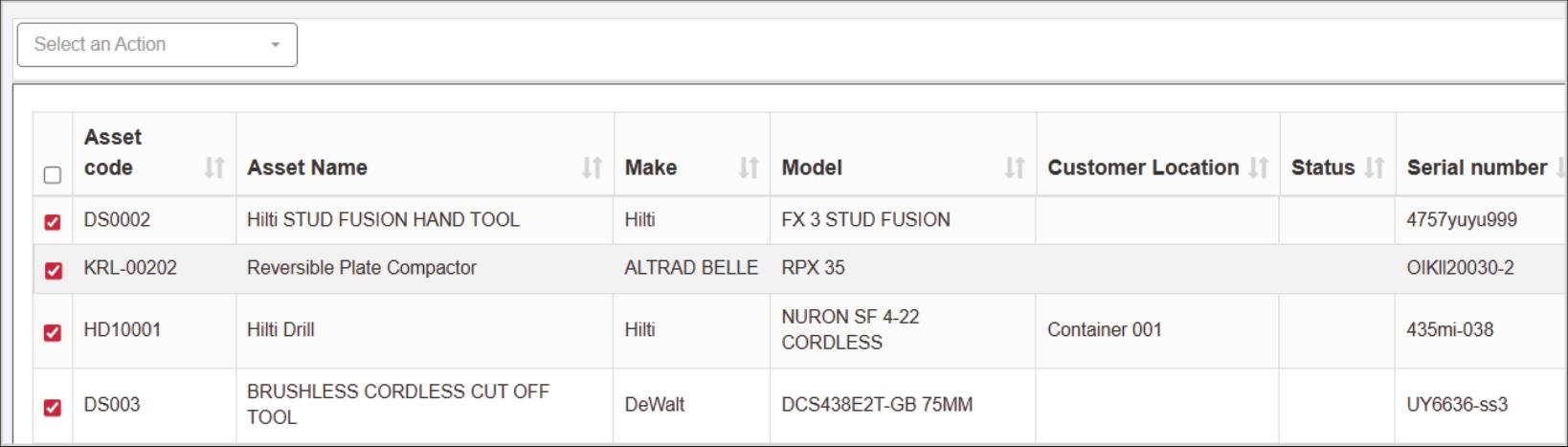
- a menu will appear top left above the asset table labelled 'Select an Action'
Step 3
- from the dropdown menu, select which action you want to perform:-
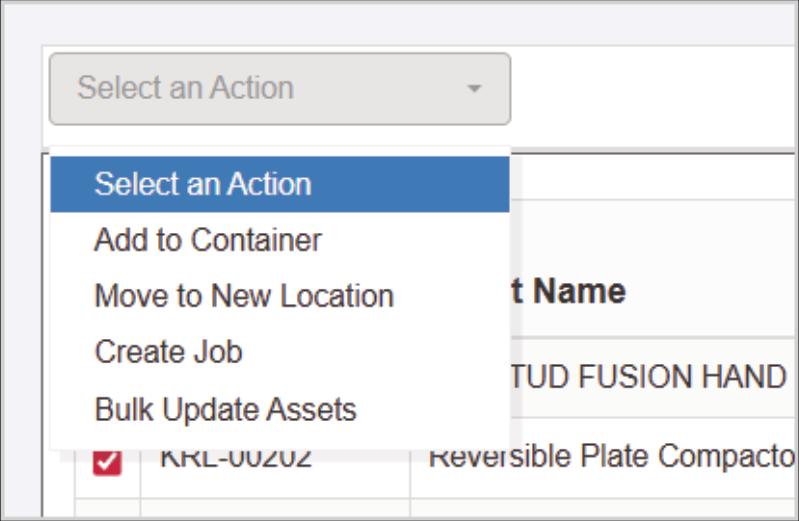
- please note, if you are selecting Create Job, then each asset must have a customer and location set against the asset. To locate the newly created jobs from this action, go to the Jobs - home screen and then select the view 'Jobs raised today'. From there you can set a date/ time and operative for the job.
Article ID: 103
Created: November 18, 2025
Last Updated: August 4, 2026
Author: Administrator
Online URL: https://www.pro-forms.co.uk/kb/article.php?id=103