
|
This article relates to the following pro-Forms modules: |
How to resize an image logo used on an Online form
Images used as logo in a Theme for an Online form can be manipulated within the system without the need for 3rd party image editing software.
To do this follow these steps :-
3. Put your mouse over the ellipses (3 dots) in the bottom right hand corner of the image thumbnail and click 'Edit'
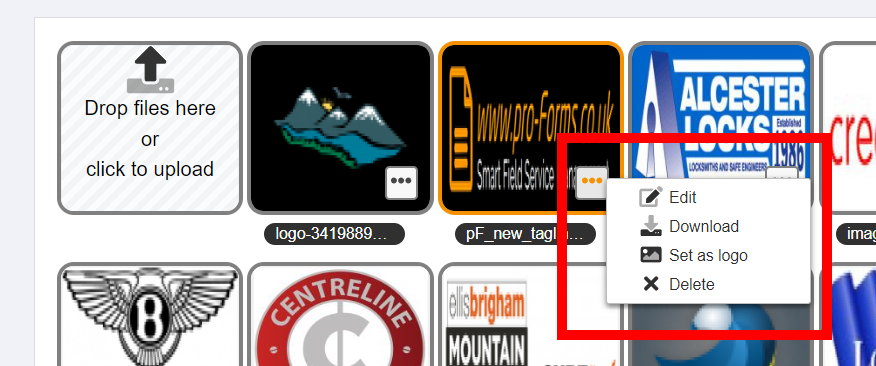
4. From the dialogue box that opens you can : resize, crop and change the orientation of the image.
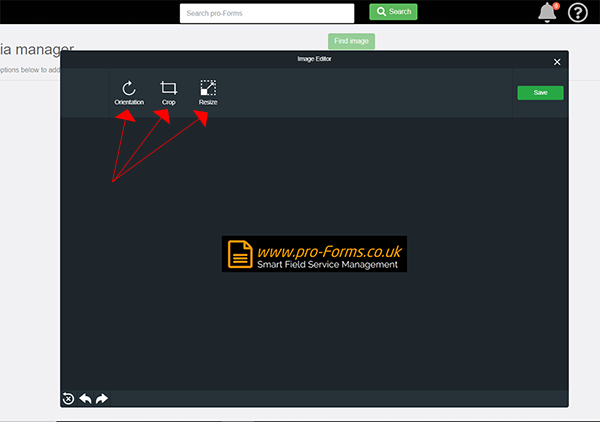
5. When finished, click the green Save button the top right.
Article ID: 62
Created: November 27, 2023
Last Updated: September 4, 2025
Author: Administrator
Online URL: https://www.pro-forms.co.uk/kb/article.php?id=62