
Online Form Software for Your Business Processes
pro-Forms® is a secure online form builder UK businesses use to create branded, highly visual and interactive forms for any project or process.
As dedicated online form software, it lets you collect information from people via their desktop, laptop, smartphone or tablet — removing slow, costly and unreliable paper from your business processes for good.
Bin your paper business forms – for good.
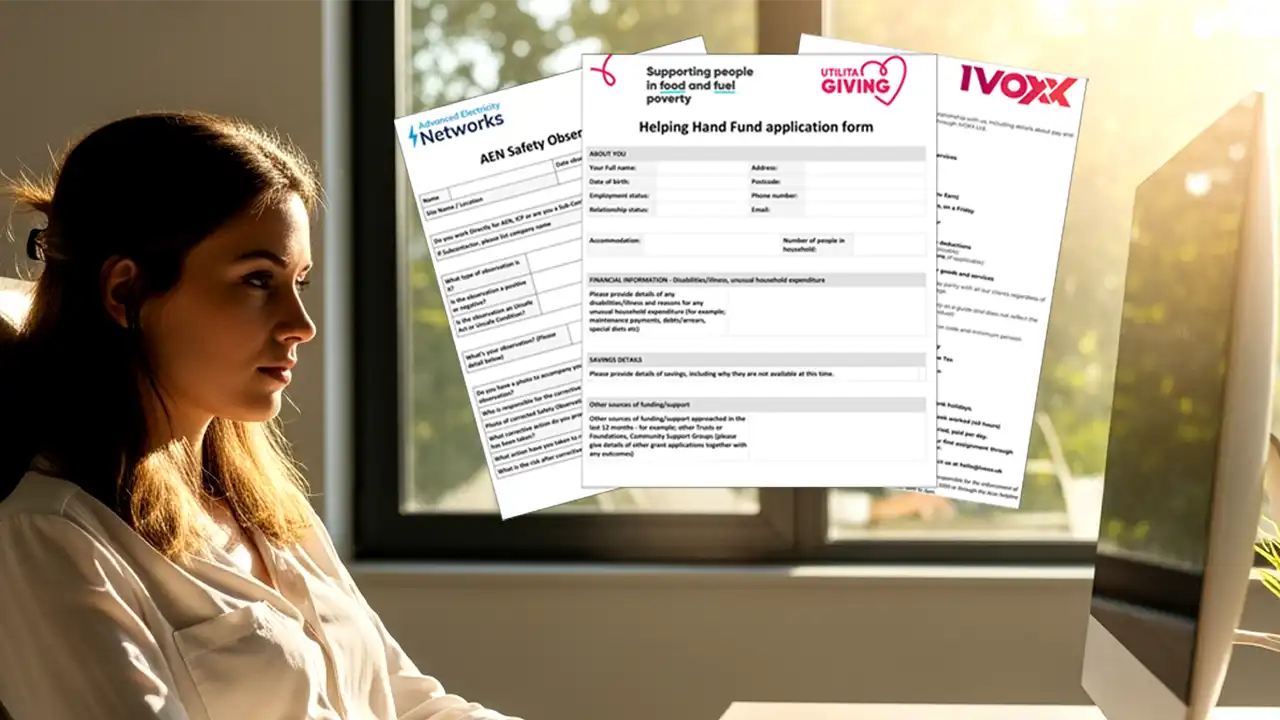
PRICE: From £35/month
Simplify Your Operations with Secure, Customisable Online Forms
Help your admin staff save time, your business money, and simplify the process for people sending information to you with our drag & drop online form builder.
As forms software designed for office teams, pro-Forms® is built to be self-sufficient — no developer or IT team required to build, publish or update a form.
Just some of our Online forms users…





Online Forms Plan Features
Digital forms software UK businesses trust — what’s included:
As both an online form builder for public-facing forms and electronic forms software for internal admin processes, our Online Forms Plan gives your business all the tools to be paperless, GDPR compliant and self-sufficient:
> Price Plan options for different data collection needs
> Self build forms using drag & drop
> Optional form building service
> Customisable output layouts
> Integrations, connectors & workflows
> Set-up, configuration & training
> UK hosted, supported and fully GDPR compliant
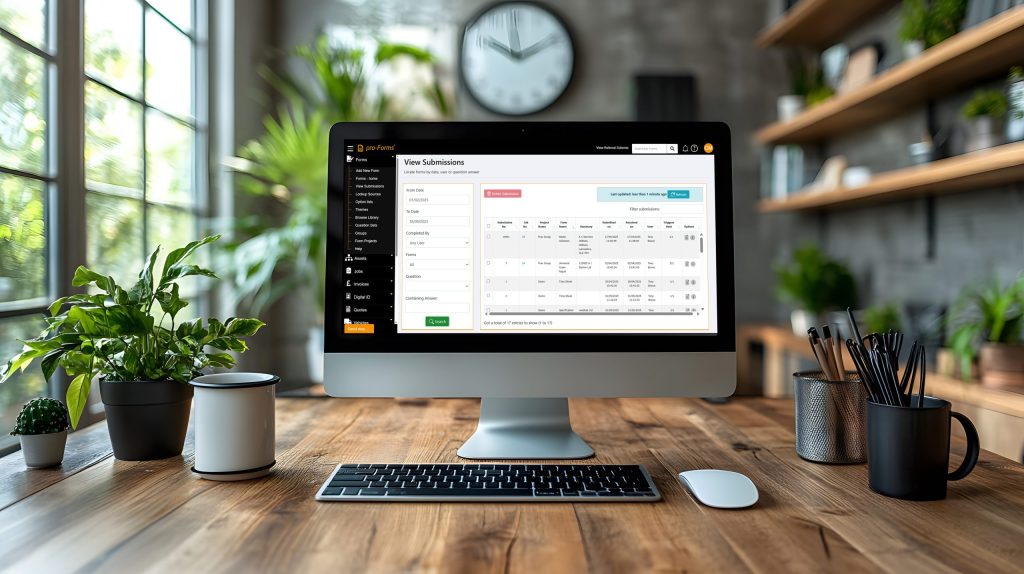
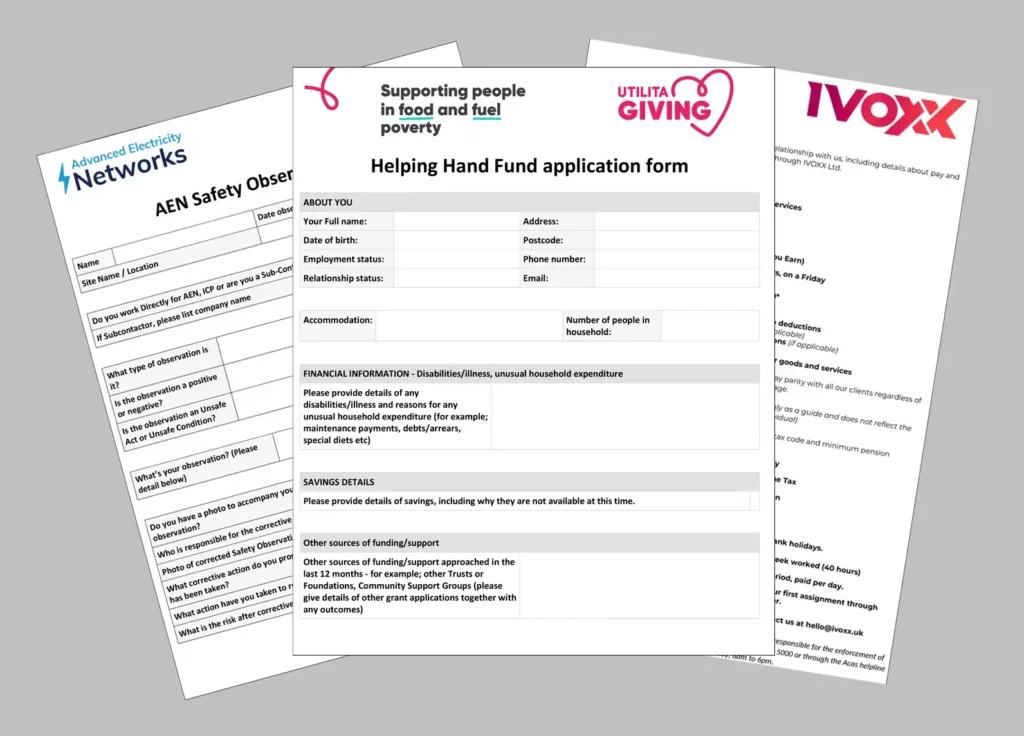
Simplifying your data collection processes
Most businesses know what data and information is needed to be collected from customers, suppliers and remotely located staff – the main problem is how to do it cost effectively, securely, consistently and paperless!
This where our Online Forms Plan comes into a class of it’s own by giving your business all the tools to be self-sufficient and in control of the whole form building, online form management and data collection process.
The smart way to collect information in a paperless environment
With secure UK cloud based hosting and support, our online form software makes it easy to build forms either by hand or using our AI form building engine — with forms made available by unique link, QR code, mass distribution campaign tool, website iFrame or social media post.
Online forms provide unlimited possibilities for businesses to collect information more efficiently than sending out forms in paper, PDF, Word and spreadsheet formats.
To really help with admin time savings, our extensive range of integrations, connectors and workflows can automatically move data between people and systems such as SharePoint, OneDrive and Teams.
Online forms for small businesses and large organisations
Our typical Online Forms users are from:
> Small businesses & sole traders
> General business administration
> Public sector bodies
> Recruitment
> Education & academia
> Social services organisations
> Healthcare
> Charitable bodies





Online Form Software: Your Questions Answered
Looking for a UK-hosted way to create secure online forms and collect data fast?
Below are the most common questions we’re asked about the pro-Forms® Online Forms Plan—including a clear explanation of the difference between online forms and mobile forms, how people access forms via links or QR codes, and how we keep your data protected with GDPR-compliant security.

Ready to get started?
If you’d like to see how Online Forms could fit your workflows then why not request a Demo or start a Trial, and share an example of a typical form so we can build the form for your Trial?
What is the difference between Online Forms & Mobile forms?
Online forms are opened and completed in a standard web browser — such as Chrome, Safari or Firefox — using an internet connection. They are ideal when you want to collect information from people outside your organisation, such as customers, job applicants, patients, parents or service users, by sending them a unique link or a QR code. The person receiving the form doesn’t need to download an app or have any kind of account to complete it.
Mobile forms work differently. They are designed primarily for your own staff working out in the field and are optimised for use on smartphones and tablets through the pro-Forms® mobile app. Mobile app users each require their own unique login. In practice, many organisations use both: mobile forms for on-site data capture by employed field teams — such as inspections, job sheets or compliance checks — and online forms for gathering responses from a broader external audience through the web.
What types of forms can I create?
You can build virtually any type of online data collection form using the pro-Forms® drag-and-drop form builder, from simple single-page questionnaires to multi-step forms with conditional logic and branded outputs.
The platform is genuinely flexible, so you can build custom digital forms shaped to match your process rather than the other way around.
Common examples include customer feedback and satisfaction surveys, job applications and candidate screening forms, new starter onboarding and HR data capture, event registration and attendee sign-ups, risk assessments and compliance checklists, membership and volunteer applications, CPD logs and training records, funding and grant applications, policy acknowledgement and end user agreement forms, employee surveys and internal questionnaires, and website enquiry and service request forms.
If you currently collect information using a paper form, a Word document, a PDF or a spreadsheet sent by email, it can almost certainly be replaced with a more efficient, consistent and auditable online form built on the pro-Forms® platform.
Are my forms and data secure?
Yes.
Security and compliance are built into every layer of the pro-Forms® Online Forms platform. Your data is hosted in highly secure, purpose-built UK data centres and does not leave the United Kingdom at any point, including all backups — helping you meet UK data residency requirements and supporting your GDPR obligations.
System databases are encrypted as standard, and field-level encryption can be enabled for additional protection on particularly sensitive questions within a form, such as those capturing personal, financial or health-related information. All data is protected in transit using 256-bit encryption from the respondent’s browser to our servers, so information is secure from the moment it is submitted.
The platform is fully GDPR compliant and is developed, hosted and supported entirely within the United Kingdom. If you need to share our security or data handling documentation with your IT, legal or data protection team, our support team is happy to provide this on request.
How do people access an online form?
Online forms can be accessed in two ways — via a unique form link or by scanning a QR code — and both methods open the form directly in the respondent’s web browser, with no app download or account registration required.
When a form link is used, the recipient simply clicks or taps it in an email, a text message, a social media post or a website, and the form opens immediately in their browser on whatever device they’re using.
When a QR code is used, the respondent scans it using their smartphone or tablet camera, which launches the form in the browser automatically. In both cases, the person completing the form needs an active internet connection for the form to load and for their responses to be submitted.
Forms are fully compatible with all modern browsers and work on desktop computers, laptops, smartphones and tablets without any additional configuration required on the respondent’s device.
What technology is required to open an online form?
The requirements are deliberately minimal, making online forms accessible to virtually anyone you want to reach, regardless of their technical setup.
To open a form via a link, the respondent needs any device with a modern web browser — such as Chrome, Firefox, Safari or Edge — and a working internet connection. This covers desktop computers, laptops, smartphones and tablets across all operating systems.
To open a form via a QR code, the respondent needs a smartphone or tablet with a working camera, QR code scanning enabled — which is built into the standard camera app on most modern Android and iOS devices — a web browser and an internet connection. No software installation, app download or account creation is required in either case.
This simplicity is one of the key advantages of online forms over other data collection methods: there is no technical barrier preventing respondents from accessing and completing the form quickly and easily on any device they already own.
How can I share form links and QR codes?
pro-Forms® gives you multiple ways to distribute your online form so you can reach your intended audience in whatever channel works best for them.
Form links can be sent directly to recipients by email, shared in a text message, posted on your social media channels, or embedded on your website as an iframe so visitors can complete the form without leaving your page.
QR codes can be included in emails, added to social media posts, printed on posters, flyers, letters or signage, placed on sticky labels and attached to physical assets, locations or equipment, or displayed on screens in public or customer-facing spaces.
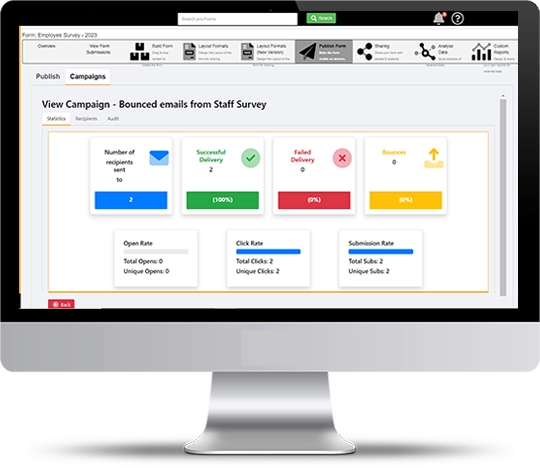
For larger distribution needs, the platform includes a campaign tool that allows you to send a form link to a large list of recipients and monitor response rates and completion levels from a single dashboard.
This combination of distribution options makes it straightforward to reach respondents consistently, whether you’re targeting a handful of people or many thousands.
What are typical uses of Online forms?
Online forms are most commonly used by office and admin teams to collect structured information from people outside the organisation — whether that’s a small, targeted group or a large open audience. Because there’s no app to download and no login required, they remove friction for respondents and make it straightforward to gather consistent, usable data at scale.
Common use cases include customer satisfaction surveys and post-service feedback, school or nursery parent and guardian information updates, job applications and candidate pre-screening, staff onboarding and HR data collection, patient requests and non-urgent healthcare intake forms, social work and service user referrals and support requests, website enquiry and contact forms, volunteer and membership applications, event registrations and attendee sign-ups, grant and funding applications, and employee engagement surveys and internal questionnaires.
Wherever your business currently relies on paper forms, emailed PDFs or Word documents to collect information from others, online forms offer a faster, cleaner and more reliable alternative that reduces admin time and improves data quality.
Do you know who has submitted a form?
Not automatically — but this is easy to manage within the form itself.
By default, online forms don’t require respondents to identify themselves before submitting, which is appropriate for anonymous surveys, open feedback forms or any situation where you want to reduce barriers to completion. However, if you need to identify who has submitted a form, you simply add one or more questions to capture the relevant details.
Depending on your use case, this might be a name, an email address, an employee ID, a customer reference number, a date of birth, a membership number or any other identifier that makes sense for your process.
These fields can be made mandatory so the form cannot be submitted without them, ensuring every response is traceable.
You can also use pre-population techniques to pass known information into a form link, so certain fields are already filled in for the respondent before they begin — reducing effort and improving the accuracy of identifying information captured.
Can someone save a form and finish it later?
Yes.
Online forms include a save function that allows respondents to save their progress partway through a form and return to complete and submit it later — useful for longer or more detailed forms where the person may not have all the information they need to hand in a single sitting.
When a respondent saves a partially completed form, a unique retrieval link is generated and sent automatically to the email address they have provided. They can use this link to reopen the exact form they were working on, with all their previously entered answers preserved, and continue from where they left off at a time that suits them.
This is particularly valuable for multi-section forms such as job applications, grant applications, onboarding questionnaires or detailed customer intake forms, where respondents may need to gather documents, check records or consult with others before they can answer every question.
The save and return function helps to improve completion rates by removing the pressure to finish in one go.
Can I brand the form with my company details?
Yes.
pro-Forms® online forms can be fully branded to reflect your organisation’s identity, both in the on-screen form experience and in any documents generated from submitted responses.
On screen, you can add your company logo, apply your brand colours and include contact details and introductory text so the form looks and feels like a natural extension of your existing customer or user communications rather than a generic third-party tool.
This is particularly important when forms are being completed by customers, patients, applicants or members of the public, where a professionally branded experience builds trust and confidence.
Branding can also be applied to the PDF or Word documents that are automatically generated and distributed when a form is submitted — for example, a branded confirmation letter, a completed application document or a structured data output sent to your team.
If you need help matching an existing form layout or replicating your current branded templates in the digital output, our team can assist with this as part of your setup.