
Digital mobile forms for field engineers
pro-Forms® is a mobile forms app for field workers across every industry — using our UK cloud hosted mobile form builder to introduce game changing business and field service forms of any kind, no matter what sector you work in.
All your company forms in your pocket
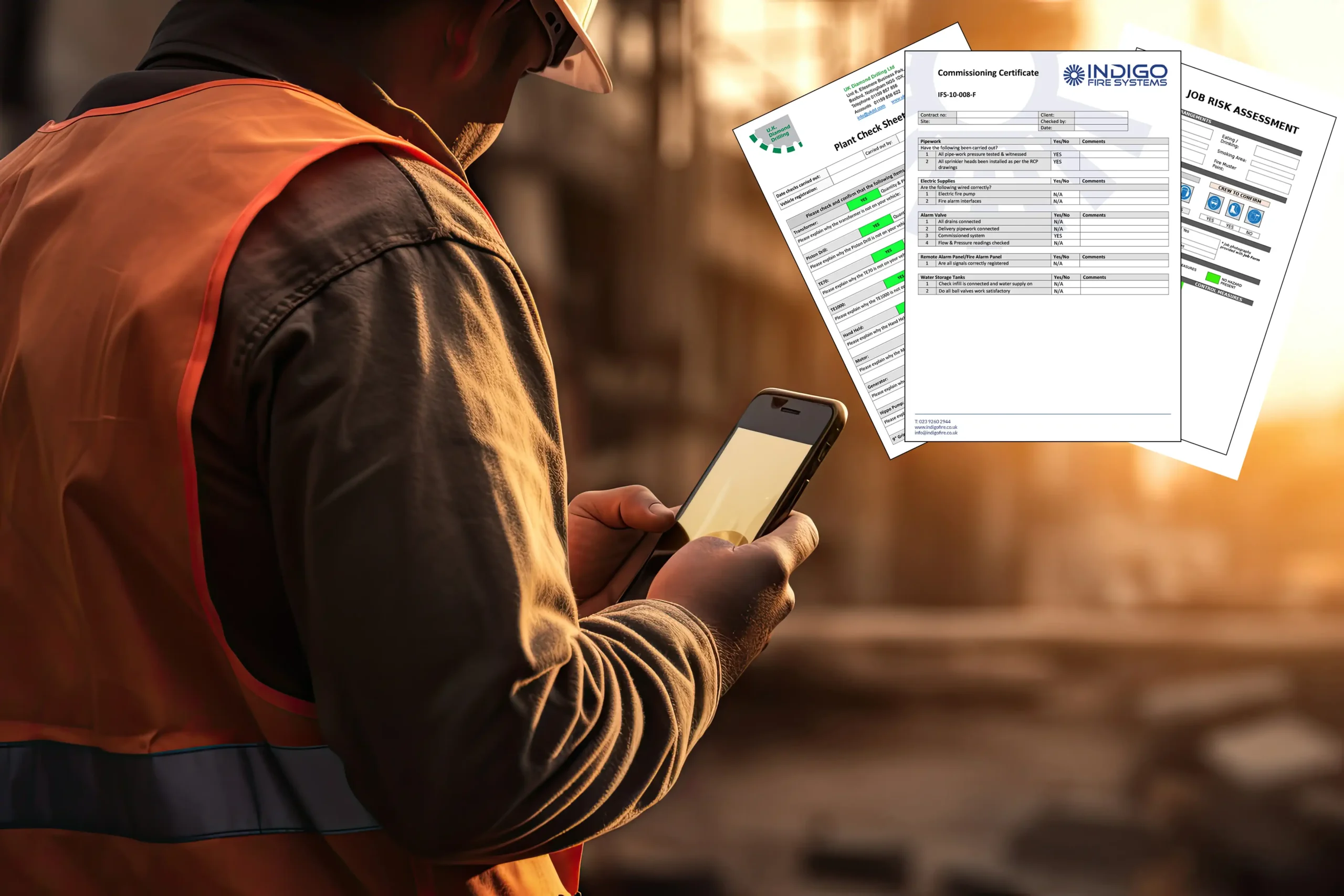
Whether you need an engineer’s Service Report, a surveyor’s Inspection Report or construction operatives’ Toolbox Talk record — no problem — as digital mobile forms they can all be on your mobile device right in your pocket.
Providing instant impact, our mobile forms app for field workers helps you become paper free and benefit from transferring field data to your office staff and systems in minutes thanks to our leading integrations and software connectors.
PRICE: £10/ app user/ month
Cut admin time, eliminate paper errors, close jobs faster
Just some of our digital mobile form users…








What Mobile Forms Can Do For Your Business
What’s included in the Mobile Forms Plan?
With all the features required to help your business become paperless and super efficient in no time at all, our digital mobile forms plan offers:
> Unlimited admin users
> 30-day rolling License for mobile app users
> Create unlimited number of forms
> Send & receive unlimited number of forms
> Self build forms using drag & drop
> Optional form building service
> Integrations & connectors
> AI powered translations
> Help & support
> UK hosted, supported & fully GDPR compliant
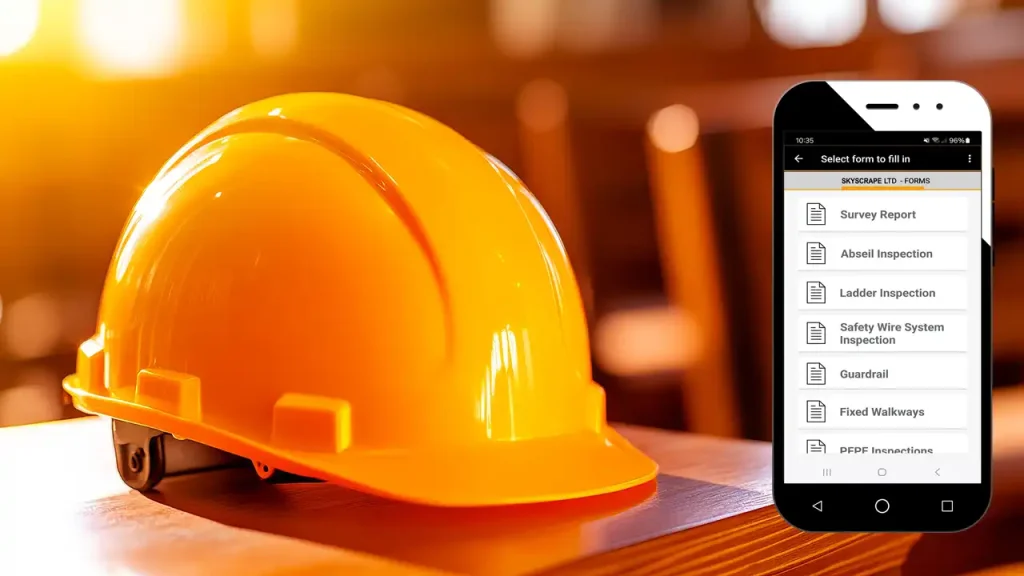
Take your field service activities paperless
Building reusable form templates containing form field types including check boxes, drop down fields, radio buttons and calculations as standard means you can respond quickly to the demands of your customers and at the same time streamline your business processes.
We have solutions for the very simplest of situations to the most complex and demanding.
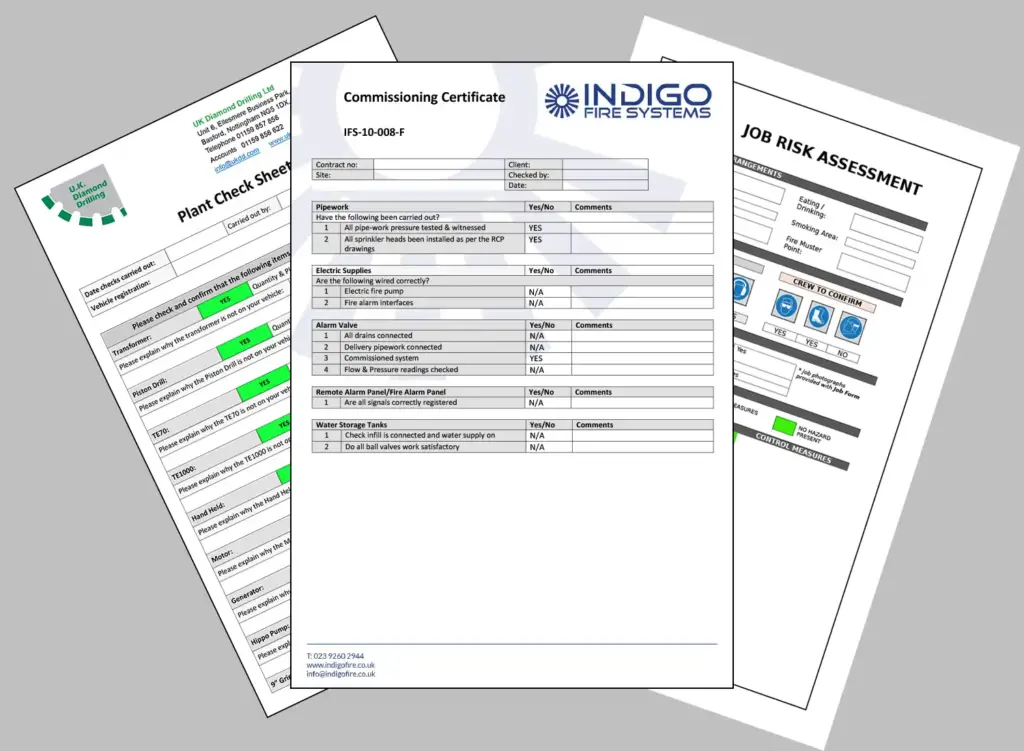
With branded customisable layouts in either Word or PDF formats, forms can be automatically sent by email, uploaded to OneDrive, Google Drive, Dropbox or Sharepoint or sent by FTP in csv/ XML or JSON to other systems.
AI-Powered Translation: One Form, Many Languages
Capture data in different languages. Generate reports in many languages.
Field teams don’t all speak the same language — and neither do your customers. pro-Forms® now uses built-in AI translation to remove that barrier completely.
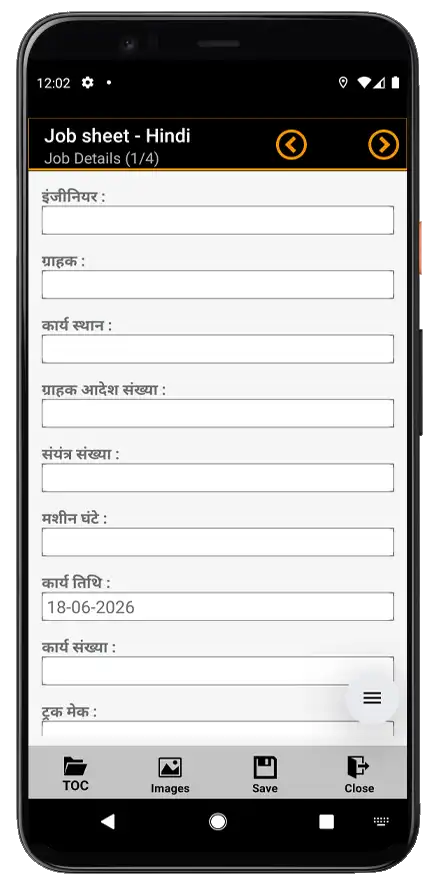
Translate the form itself. Simply copy your English language form, convert to the required language for the mobile app so your field engineers and subcontractors can complete it on their mobile device in their own language. Questions, answer options and guidance notes are translated instantly, helping every user understand exactly what’s being asked — reducing mistakes and rework.
Translate the finished report. The Word or PDF document generated when a form is submitted can be produced in a different language to the one used to complete it. A form filled in by a UK engineer can generate a customer-facing report in French, Spanish, German, Arabic or another language automatically — ideal for international clients, overseas sites or multilingual head office reporting.
Multilingual form translation is one part of our AI Field Service Management Software — explore the full set of AI capabilities.
Lookup file data that updates itself with webhooks
Mobile Forms can use lookup files to populate form fields with pre-prepared data, so your field engineers pick from your own approved list of customer sites, parts, products or price codes rather than typing information from memory. With webhooks, that list doesn’t need manual updating. Connect pro-Forms® to the system where your data already lives, and any change flows straight through to the lookup files your mobile forms use — so engineers in the field are always working from current data.
- Fewer errors in the field — engineers select from accurate, current options instead of typing details from memory or an out-of-date printout.
- No more manual re-uploads — when your source data changes, your lookup files update automatically.
- Fits your existing systems — whether your data lives in an ERP, CRM, ecommerce platform or accounting system, webhooks connect it directly to your forms.
Who uses this mobile forms app?
As a mobile forms app for field workers, pro-Forms® digital mobile forms are used by organisations across:
> Construction
> Property maintenance
> Building services / fire & security / air conditioning
> Specialist machinery & equipment maintenance
> Materials Handling Equipment (MHE)
> Facilities management
> Salesforce Field Service users




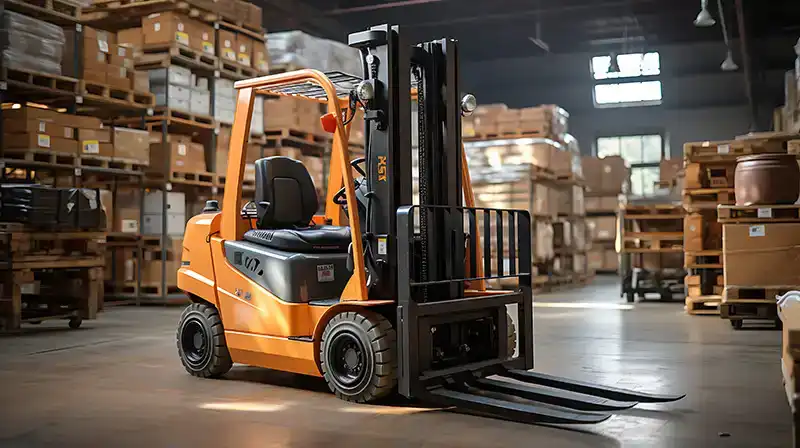



Mobile Inspection App for Site, Safety and Equipment Checks
Many teams use pro-Forms® Mobile Forms as their inspection app. Build your own inspection checklists with pass/fail answers, scoring and conditional logic. Complete them on site, even with no signal, and send a branded inspection report to your customer or office the moment the form is submitted.
It’s used for site inspections, health and safety inspections, equipment and asset checks, and compliance inspections such as Fire door inspections and LOLER thorough examinations. If your inspectors fill in a paper checklist today, it can be rebuilt as a mobile inspection form
- Pass/fail, scored and conditional inspection checklists
- Photo evidence with annotation, GPS location stamps and signatures
- Scan QR codes, barcodes or NFC tags to identify the asset being inspected
- Offline inspections that send automatically when signal returns
- Branded Word/PDF inspection reports emailed or saved to SharePoint, OneDrive and more
Read more on pro-Forms® inspection software →
Need scheduled inspections and a full inspection history for every asset? See Enterprise Asset Manager.
Your Mobile Forms FAQs – pro-Forms® Mobile Plan
Looking for clear answers about mobile forms?
This quick FAQ explains the key features, how the pro-Forms® Mobile App works, what types of data you can capture in the field, and the security, compliance and technology requirements you can expect. Read on to choose the best digital form option for your team, customers and contractors.

Ready to get started?
If you’d like to see how Mobile Forms could fit your workflows then why not request a Demo or start a Trial, and share an example of a typical form so we can build the form for your Trial?
What is the difference between Online Forms & Mobile forms?
Mobile forms are completed inside the pro-Forms® Mobile App. Every person using mobile forms must have their own unique login, which makes them the right choice for your employed field engineers, technicians and in-house site teams — people who are regularly out on site and need a consistent, secure way to capture and submit information.
Online forms work differently. They’re designed for people who don’t have the pro-Forms® app and aren’t members of your staff. You send them a secure link and they complete the form through a browser, with no app download required. They’re ideal for customers, subcontractors, visitors or any third party you need to gather information from. A good example would be sending a customer satisfaction form after a job has been completed, or sharing a site induction form with a contractor before they arrive on site.
What kinds of form and data do people capture with mobile forms?
Mobile forms can support virtually any field service or business process where teams need to capture accurate information on-site and submit it instantly — or hold it for later if they’re working offline.
Common examples include engineers’ job sheets, equipment installation and commissioning records, risk assessments, RAMS and method statements, compliance checks and audits, planned preventative maintenance (PPM) records, expenses, timesheets and HR forms, delivery notes and proof of delivery, on-hire and off-hire checks, safety checks and incident reports, and toolbox talks and briefing records.
In practice, if your team currently fills in a paper form of any kind, it can almost certainly be replaced with a digital mobile form built on the pro-Forms® platform.
Forms can be as simple or as complex as your process demands, with conditional logic, calculations and photo capture all available as standard.
Are the forms and my data secure?
Yes — security and compliance are built into every layer of the pro-Forms® platform.
Your data is hosted in highly secure UK data centres, and all data including backups remains in the UK to support data residency requirements. System databases are encrypted, with optional field-level encryption available for particularly sensitive form fields.
The browser-based admin Work Group uses 256-bit encryption for login, and two-factor authentication (2FA) is available for all admin accounts. The pro-Forms® Mobile App uses AES 128-bit encryption as standard, protecting data on the device itself. If you need to move data via FTP, Secure FTP (SFTP) is available.
The platform is fully GDPR compliant and developed, hosted and supported entirely in the UK. If you have specific security requirements or need to share our documentation with your IT or compliance team, our support team is happy to help.
What technologies are required?
The pro-Forms® Mobile App is available on both Android and iOS and can be downloaded for free from Google Play and the Apple App Store.
Mobile users will typically need an internet connection to submit forms in real time, but the app also supports offline working through a built-in store-and-forward mechanism, making it reliable even in areas with poor or no signal.
For the best experience, we recommend enabling QR code scanning on the device camera and turning on location services so GPS coordinates can be captured on forms and images where needed.
No specialist hardware is required — most modern Android or iOS smartphones and tablets will work well. Office and admin users don’t need the app at all. They simply need a reliable internet connection and a modern browser such as Chrome, Firefox or Safari to access the drag-and-drop form builder and administration tools.
What happens if a mobile user has no internet connection?
The pro-Forms® Mobile App includes a built-in offline mode with a queuing mechanism, so losing signal in the field doesn’t interrupt your team’s work.
Users can continue completing and submitting forms exactly as they normally would — the app simply holds the submission locally on the device.
Once a stable connection is restored, whether that’s mobile data, Wi-Fi or a stronger signal further down the road, the app automatically and silently sends the queued submission without the user needing to do anything.
There’s no risk of data being lost and no need for the engineer to remember to re-send. This makes the app dependable in environments where signal is unpredictable, such as basements, industrial sites, rural locations or large buildings. It’s one of the features our field service customers rely on most day to day.
Can forms be saved to the device for later completion and submission?
Yes.
Users can manually save a partially completed form on their device and return to finish it later — useful when a job is interrupted or when information needs to be gathered in stages.
Saved forms are linked to that specific device, so they won’t appear on a different device even if the same user logs in with their credentials elsewhere.
The system can also automatically save form progress to the pro-Forms® cloud-based platform, subject to an internet connection being available at the time. This cloud-based saving provides an important safety net — if a device is lost, damaged or replaced, any data already saved to the cloud can still be retrieved.
It means your engineers’ work isn’t lost even in the event of an unexpected hardware problem. Both manual and automatic saving work together to keep your data protected throughout the form completion process.
Can a user share their account with another user?
No — account sharing is specifically prohibited under pro-Forms® Terms and Conditions, and for good reason.
Each mobile app user must have their own unique account, using their own email address as their username. This is a fundamental requirement of the platform, not simply a policy preference. Individual accounts ensure that every form submission can be accurately attributed to the person who completed it, which is essential for auditability, compliance reporting and liability purposes.
If a form is used to record a safety check, a compliance inspection or a risk assessment, you need to know with certainty who completed it and when. Shared accounts undermine that assurance entirely.
Separate accounts also protect the integrity of your data and support accurate management reporting. If you need to add more users, additional licences can be added to your plan on a simple rolling monthly basis with no long-term commitment required.
What types of question can be used on a mobile form?
Mobile forms support a wide range of question and field types, giving you the flexibility to capture exactly the right data in exactly the right format for your business process.
Available field types include formatted text fields covering single-line, multi-line, decimal and integer inputs, photo and image capture with annotation tools, customer and engineer signature capture, GPS location stamping on forms and images, multi-select options such as radio buttons, checkboxes and dropdown lists, QR code and NFC tag reading for asset identification, date and time fields, and text labels and guidance notes to help engineers navigate complex forms correctly.
These field types can be combined in any configuration using the drag-and-drop form builder. Conditional logic and visibility rules can then be applied to show or hide questions based on earlier answers, making even complex multi-step processes straightforward and consistent for the person completing the form.
Can field engineers complete mobile forms in their own language?
Yes.
pro-Forms® includes built-in AI-powered translation that allows form questions, answer options and guidance notes to be displayed in the user’s chosen language, even if the original form was built in English or another language.
To set this up, you simply copy your existing form and convert it to the required language for the app. The translation is applied instantly across all questions, answer options and any guidance notes included in the form, helping every user understand exactly what’s being asked of them.
This is particularly valuable for businesses with multilingual field teams, agency workers or subcontractors who operate in a different language to your head office or management team. Clearer questions lead to more accurate answers, fewer mistakes and less rework — all of which saves time and protects the quality of your data. A wide range of languages is supported through the AI translation feature.
Can the Word/PDF report generated from a form be produced in a different language?
Yes.
The Word or PDF document generated when a field user submits a completed form can be produced in a different language to the one used to fill it in.
This means a form completed in English by a UK engineer can automatically generate a customer-facing or management report in French, Spanish, German, Arabic or another supported language — without any manual translation or additional administration.
It works the other way around too: a form completed in another language can produce an English-language report for your UK head office or management team.
This feature is particularly useful for businesses working with international clients, managing overseas sites, or reporting to multilingual head offices and regulators.
The translation is handled automatically by the built-in AI translation capability at the point of submission, so there’s no extra step for the engineer or the office team. The output simply arrives in the right language.
Can forms manage complex processes and on-site scenarios?
Yes.
Forms on the pro-Forms® platform can be configured with conditional logic, visibility rules, field dependencies and inline calculations to guide users through even the most complex workflows, step by step and without confusion.
Conditional logic means questions or entire sections can be shown or hidden based on answers given earlier in the form — so engineers only ever see what’s relevant to the specific job, asset or situation in front of them.
This reduces errors, speeds up completion and makes complex processes — such as multi-asset compliance inspections, layered safety checks or detailed installation and commissioning records — straightforward and consistent across your entire field team.
Calculations can be used to total figures, apply scoring systems or trigger pass/fail outcomes automatically.
The result is a more reliable, auditable record that accurately reflects the on-site process, regardless of how many variables or decision points that process involves
Can company branding and existing form layouts be matched?
Yes.
The document layout generated when a field user submits a completed form — whether in Word or PDF format — can be fully customised to reflect your company’s brand. This includes your logo, colour scheme, accreditation logos, contact details and any other standard content you include on your current forms or reports.
We can usually replicate your existing paper-based or PDF form layouts closely, which helps maintain familiarity for both your team and your customers, supports continuity during the transition from paper to digital, and can be important where specific layouts are required for accreditation or compliance purposes.
If you’re starting a trial, we recommend sharing an example of one of your current forms so our team can build a close match for you to test with real data. Most customers find this significantly accelerates their confidence in the platform and speeds up their go-live process.