How to Submit a Form from the Mobile App
|
This article relates to the following pro-Forms modules:
Mobile Forms
|
This article describes how to submit a form from the pro-Forms mobile application. It is split into two sections showing how to complete on both Android and iOS (Apple) devices.
Android
- Log in to your mobile application Logging into the mobile application
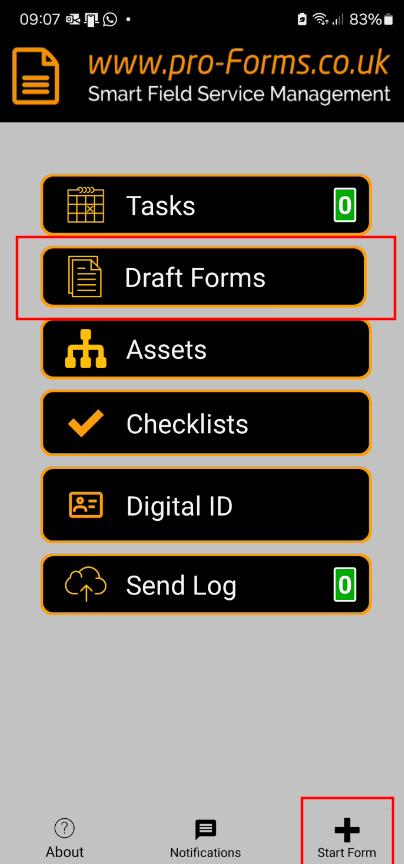
- On the main menu, tap either the 'Draft Forms' menu option, or the 'Start Form' option at the bottom of the screen.
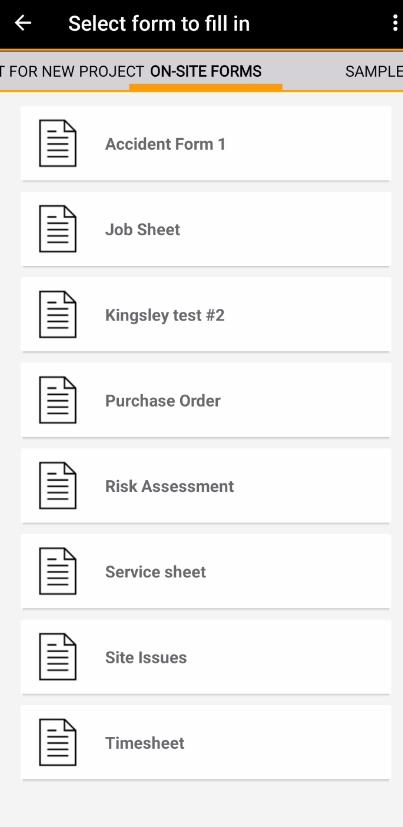
- Tap the form you want to complete
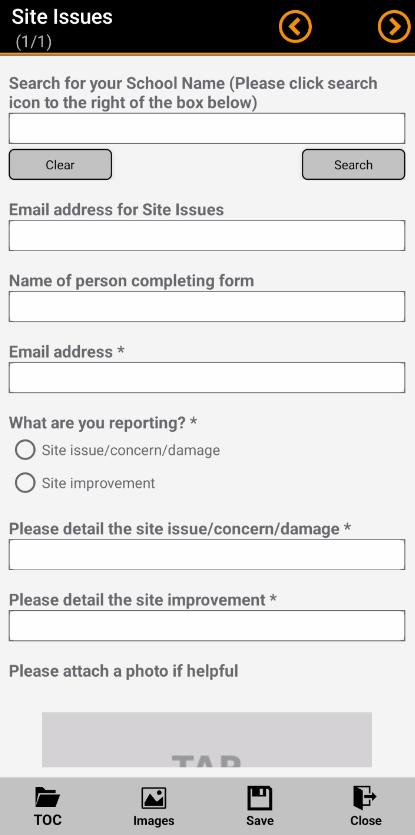
- Fill in your form fields and navigate through the form pages using the left and right arrows at the top of the screen
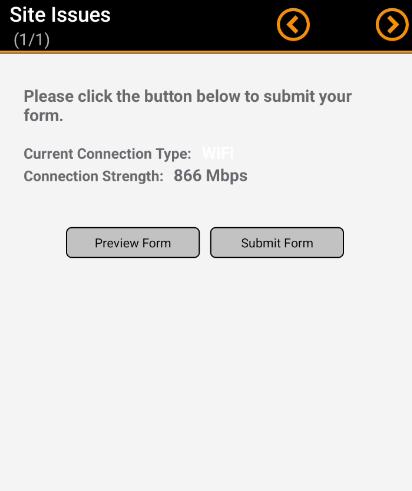
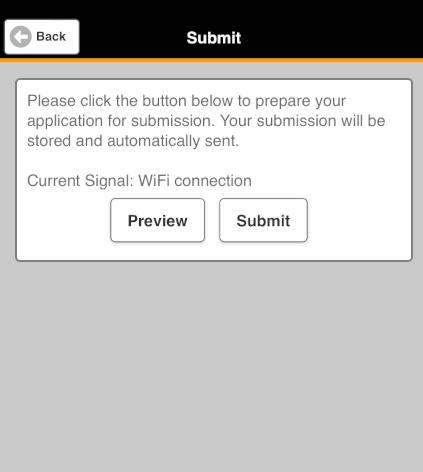
- When you reach the end of the form, tap the 'Submit Form' button
iOS (Apple)
- Log in to your mobile application Logging into the mobile application
- On the main menu, tap the 'Forms' menu option.
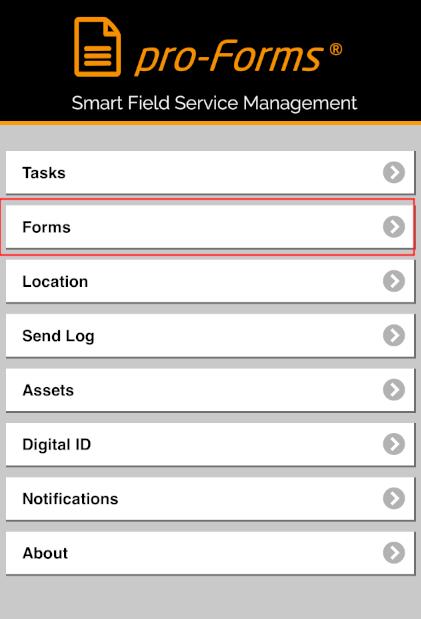
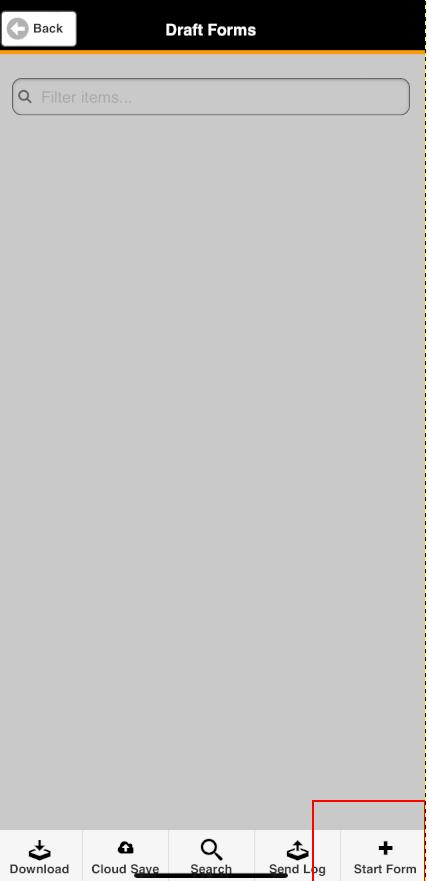
- Tap 'Start Form' at the bottom of the screen
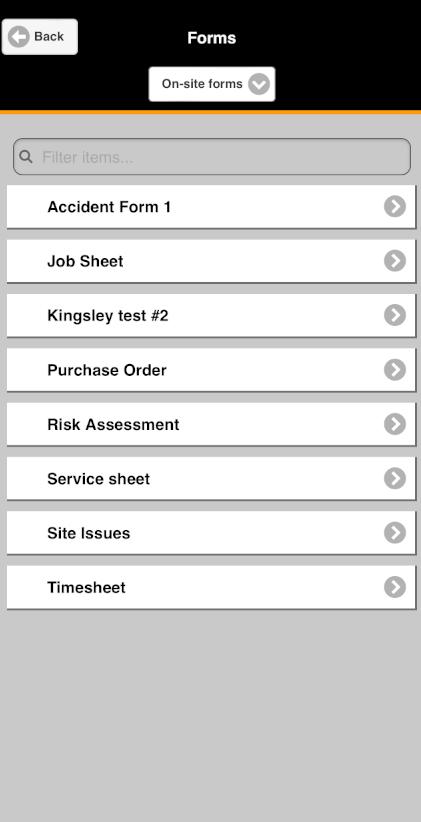
- Tap the form you want to complete
- Fill in your form fields and navigate through the form pages using the left and right arrows at the top of the screen
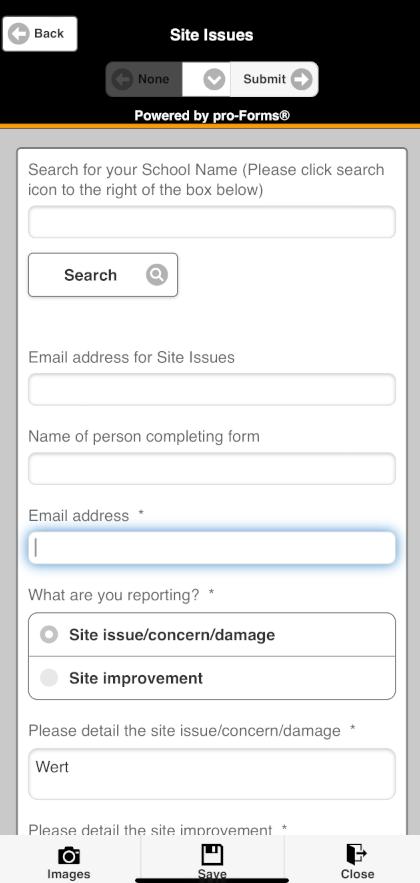
- When you reach the end of the form, tap the 'Submit Form' button
Article ID: 73
Created: October 22, 2024
Last Updated: October 22, 2024
Author: Administrator
Online URL: https://www.pro-forms.co.uk/kb/article.php?id=73