|
This article relates to the following pro-Forms modules: |
Form Field Tags
Form field Tags are a very important part of the pro-Forms® system and are extremely useful in various places. They are also one of the things many people don’t pay attention to which could make their form building lives considerably easier.
Tags are useful :-
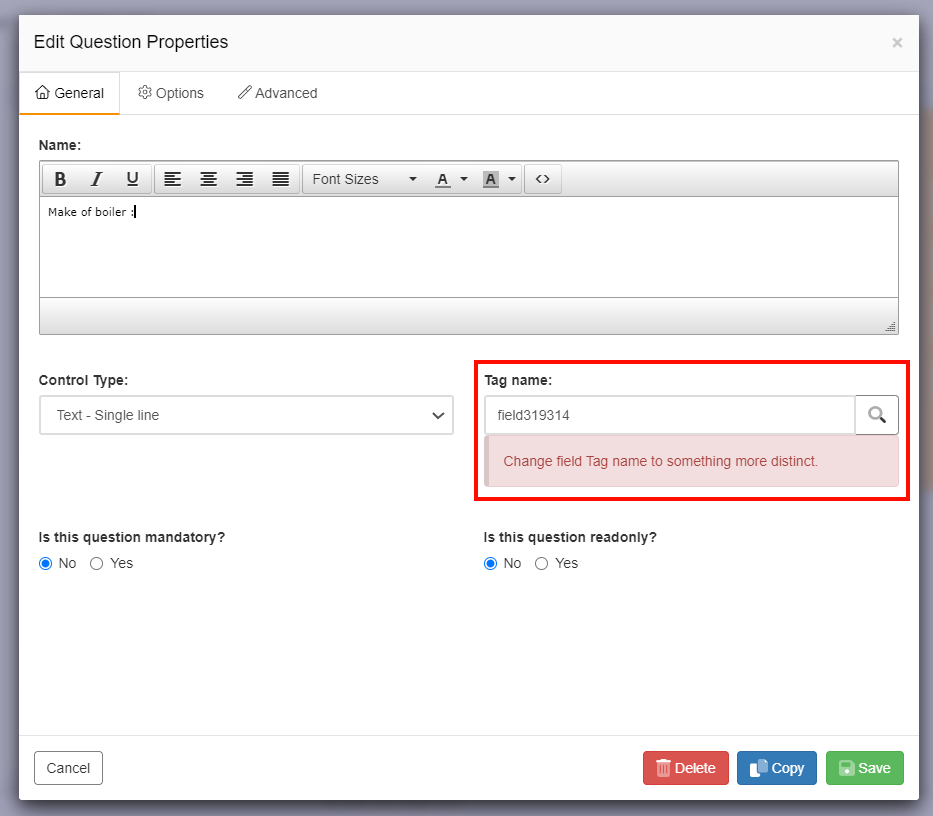
Every field added to a form using the ’Build Form’ option is automatically given a unique ID or ’Tag name’ by the system.
The Tag allocated by the system is not however memorable or distinctive in identifying the purpose of the question it relates to. We therefore recommend changing the default Tag name allocated to something short and which makes it easier to identify/ relatable to the question.
There are 2 ways to do this :-
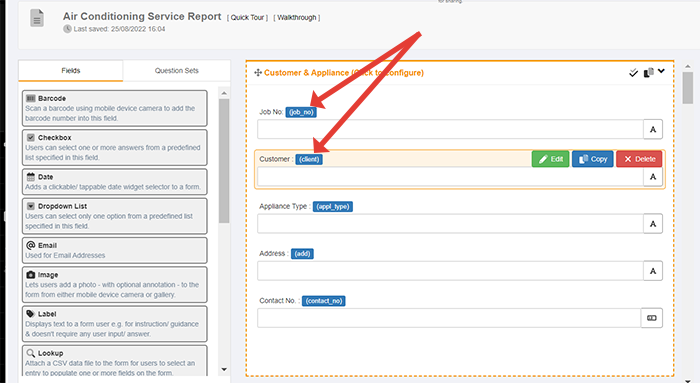
After using either of the these methods the green 'Save' button should be click to retain the change made. The newly added Tag name will appear in a blue box to the right of the field name/ description.
Do's and Dont's with Tag Names
Article ID: 29
Created: September 23, 2022
Last Updated: December 5, 2023
Author: Administrator
Online URL: https://www.pro-forms.co.uk/kb/article.php?id=29