|
This article relates to the following pro-Forms modules: |
If you ever need to update the contents of your Word layout, please follow the steps below.
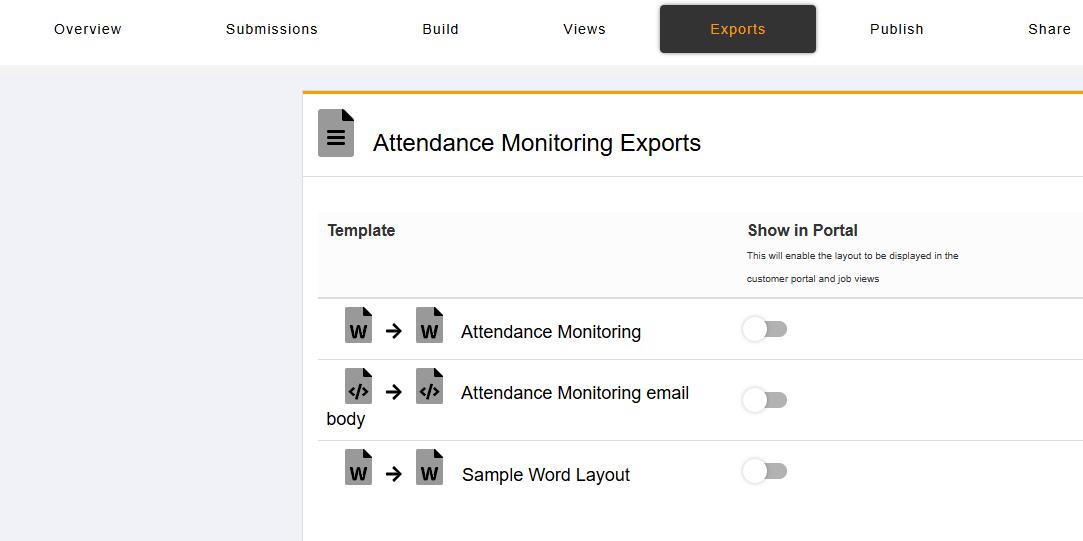
1. Click on 'Exports', and then click on the relevant Word export
2. Click on the 'Download Existing Template' button on the right:
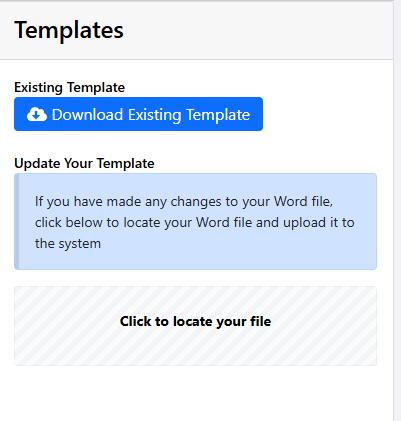
3. A file will be downloaded to your computer. Open it in Word and alter the layout accordingly.
4. Once finished click the 'Click to locate your file' option to upload your changes.
If the questions on your form change, your Word Layout should be updated to match — otherwise the exported document won't reflect your current form. See also How to Update Export Layouts After Editing a Form.
Article ID: 99
Created: September 3, 2025
Last Updated: August 5, 2026
Author: Administrator
Online URL: https://www.pro-forms.co.uk/kb/article.php?id=99