How to Make a Form Field Mandatory
|
This article relates to the following pro-Forms modules: |
To make a field mandatory
- Go to the relevant form in 'Forms - home' and click on 'Manage'.
- Click on 'Build'.
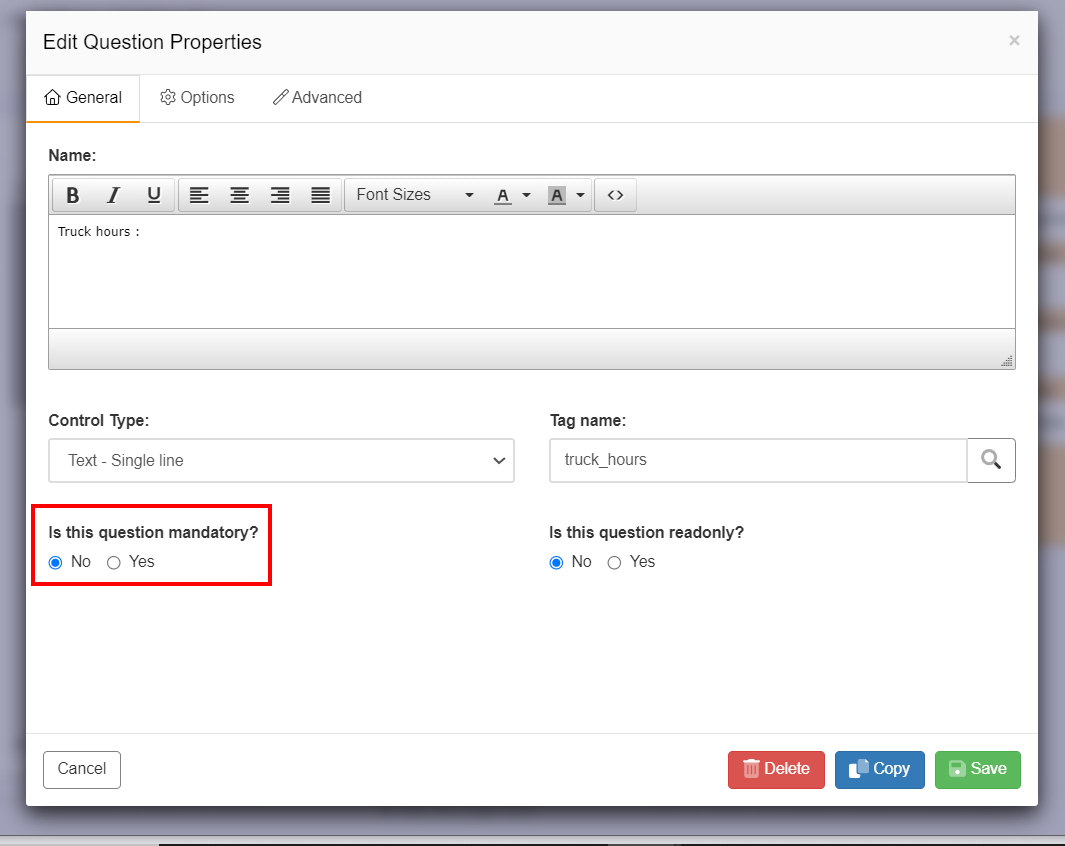
- Click on the question you wish to change. The General tab options will be displayed.
- Select 'Yes' from the question 'Is this question mandatory?'
- Click the green Save button, you will then be returned to the screen displaying all form pages and questions.
- The question that has been made mandatory will now display an '*' symbol and a tooltip of 'This field is mandatory'.
- Users must enter text/ data of the required type e.g. numbers, text, selected radio button etc before being able to submit a form using either the mobile app or an Online form.