
Replace every paper form your engineers fill in with digital mobile forms
A secure, UK-hosted mobile forms app for field workers. Service reports, risk assessments and compliance checks, completed on a phone or tablet, even with no signal.
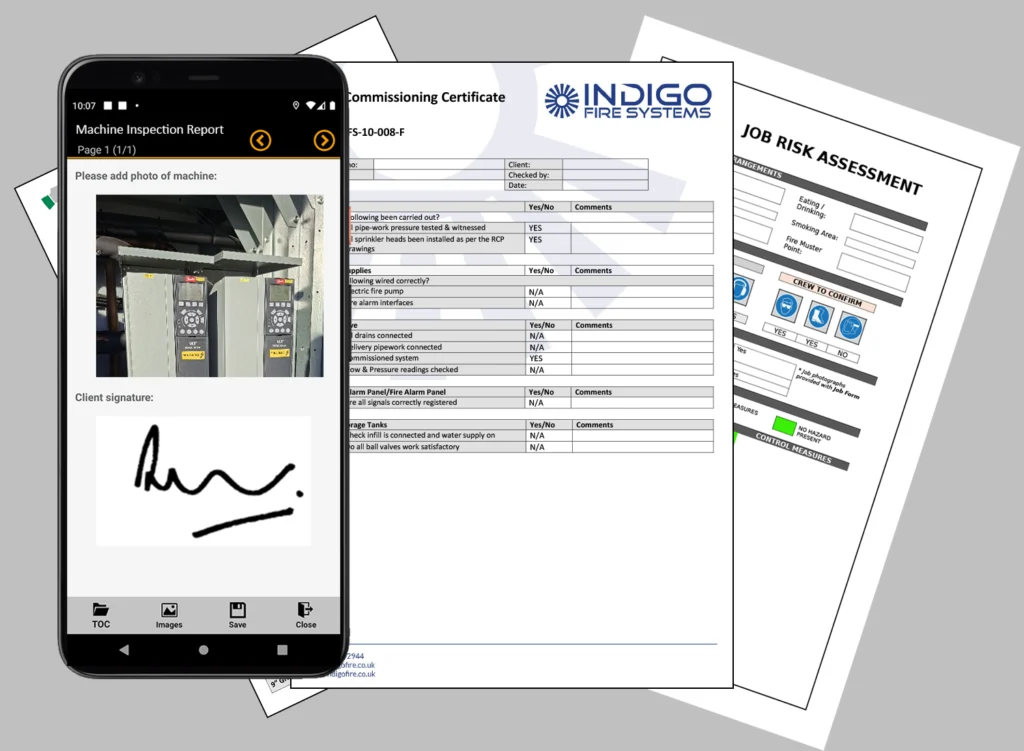
The office gets a branded Word or PDF the moment the form is submitted.
UK-hosted and GDPR compliant · Built and supported in Birmingham since 2006
Used by field teams at–









“Excellent customer service, very easy to make and customise mobile inspection forms for your compliance requirements and very easy to tailor them to how you want to view them. Being paperless has transformed our efficiency.“
Phil Stevens, Contracts Officer, GCS Compliance Ltd.
Auditing of gas safety, electrical testing, water hygiene and lift maintenance services. 39 engineers.
If it’s on paper today, it can be a digital mobile form
Service reports
Work done, parts, photos, customer sign-off
Installation/commissioning records
Readings, serial numbers, test results
Risk assessments and RAMS
Signed before work starts
PPM and maintenance records
For maintenance teams: scan the
asset’s QR or NFC tag
Toolbox talks
Attendance and signatures
On-hire and off-hire checks
Condition photos with GPS and time
Delivery notes and proof of delivery
Customer signs on the phone or tablet screen
Compliance checks and audits
Pass/fail answers, photos, signed off
Running site, safety or equipment inspections? See Inspection Software → (same app, same plan)
Mobile form builder: from paper form to branded report in three steps

Watch the YouTube video to learn
more about pro-Forms® mobile
form builder and app capabilities.
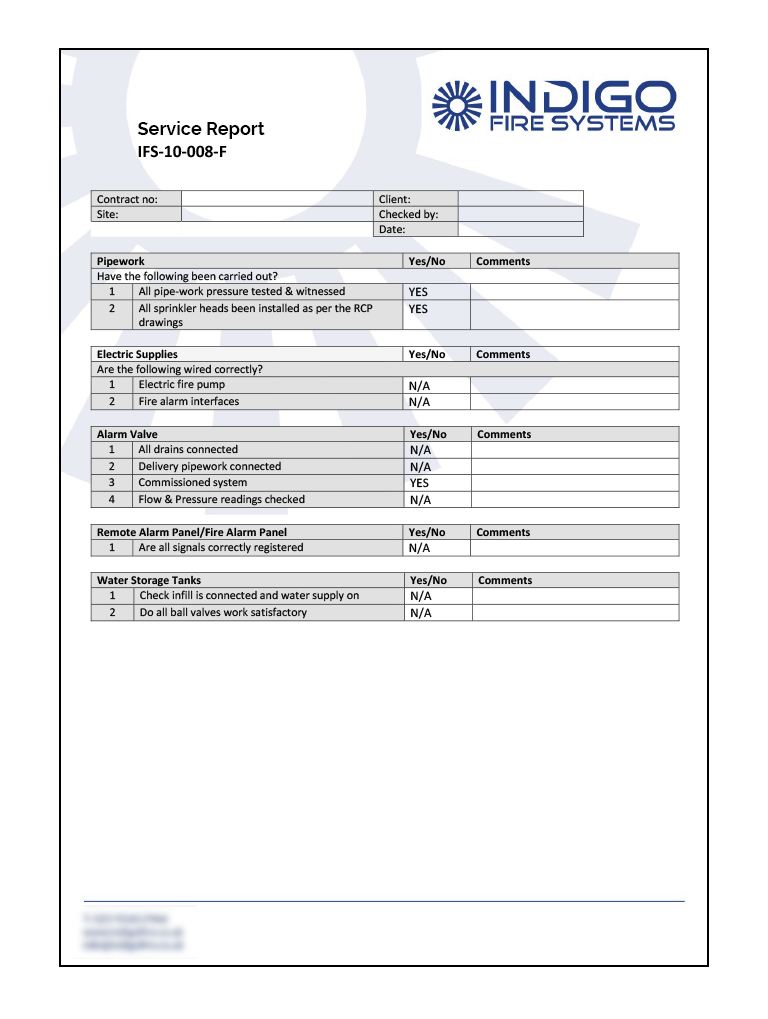
Example: an engineer’s service report
| Form section | What the engineer captures |
| Visit details | Customer, site, asset and reference, picked from your own lookup lists |
| Arrival and departure | Date, time and GPS location stamp |
| Work carried out | Fault and repair codes from dropdowns, plus notes. Follow-up questions only appear when needed |
| Parts used | Picked from your price list, totals calculated automatically |
| Photos | Before and after, annotated |
| Readings and checks | Readings and checks for the equipment serviced |
| Further work | Whether more work is needed, with details and photos |
| Sign-off | Customer and engineer signatures |
Outputs from the system once forms have been submitted from the app include Word, PDF, csv, txt, JSON and XML.
What’s included in the Mobile Forms plan
For engineers in the field
- Android and iOS apps, online and offline
- Photos with annotation, GPS stamps
- Barcode, QR code and NFC scanning
- Signatures
- Forms in their own language (AI translation)
For the office
- Unlimited admin users and unlimited forms
- Drag-and-drop builder, conditional logic
- Branded Word and PDF layouts
- Automated workflows, dashboards and reporting
- User permissions, integrations and connectors
Field service mobile forms that work with your existing systems
Lookup lists that update themselves
Engineers pick customers, sites and parts from your approved lists. Webhooks keep them in step with your ERP, CRM or accounts
system.
Completed forms go where you need them
Email, SharePoint, OneDrive, Google Drive, Dropbox, or SFTP as CSV, XML or JSON.
Multilingual mobile forms
Engineers complete forms in their own language. Reports can be produced in your customer’s.
Mobile Forms pricing
Mobile Forms
£10
per app user a month
30-day rolling licence · unlimited admin users · unlimited forms
- Optional form-building service →
- Unlimited form submissions, sent and received
- Integrations and connectors included →
- Help and support included
Need forms for customers or contractors?
Online Forms are completed in a browser by people without the app.
Online forms →
Need job scheduling and dispatch as well?
WORK MANAGER adds planning, dispatch and invoicing from £30 per user a month.
WORK MANAGER →
Mobile forms app FAQs

Send us a paper form. We’ll build it for your trial.
21 days free, on your own form, with your own team.
or download the Mobile Forms flyer (PDF)
What is the difference between Online Forms & Mobile forms?
Mobile Forms are completed in the pro-Forms® app by your own staff, such as field engineers, technicians and site teams. Each user has their own login, so every submission can be traced to the person who completed it.
Online Forms are for people outside your business, like customers, subcontractors and visitors. You send them a secure link and they fill the form in through a browser, with no app to download. A site induction form sent to a contractor before they arrive is a typical example.
How secure are our mobile forms and data?
Your data is hosted and backed up in secure UK data centres. Databases are encrypted, and you can add field-level encryption for sensitive fields. Admin logins use 256-bit encryption, and two-factor authentication is available for every admin account.
The app protects data on the device with AES 128-bit encryption, and Secure FTP is available for file transfers. The platform is GDPR compliant and is developed and supported in the UK. Customer data stays in the UK, except when you use the AI translation features. We’re happy to share security documents with your IT team.
What happens if an engineer has no signal?
They carry on as normal. The app keeps completed forms on the device and sends them automatically once there’s a connection again, whether that’s mobile data or Wi-Fi, so nobody has to remember to resend. Engineers can also save a part-completed form and finish it later. When a connection is available, progress can be saved to the cloud too, so it can be recovered if a device is lost or damaged.
Can you match our existing form layouts and branding?
Yes. The Word or PDF document produced when a form is submitted can carry your logo, colours, accreditation logos and contact details. We can usually copy your current paper or PDF layouts closely, which helps where a set format is needed for accreditation or compliance. If you start a trial, send us one of your current forms and we’ll build a close match for you to test with real data.
an engineers complete forms in their own language?
Yes. Built-in AI translation turns a copy of your form, including questions, answer options and guidance notes, into the language your engineer needs. The finished Word or PDF report can also be produced in a different language from the one the form was filled in. For example, a form completed in English can produce a French report for an overseas customer.
Where do engineers download the app, and which devices does it work on?
The pro-Forms® Mobile App is free to download from Google Play and the Apple App Store. It runs on most modern Android and iOS phones and tablets, with no special hardware needed. For the best results, allow camera access for photos and QR scanning, and turn on location services for GPS stamps. Office users don’t need the app. They use the form builder and admin tools in a web browser.
Can users share a login?
No. The pro-Forms® terms and conditions don’t allow shared accounts. Each app user needs their own account, using their own email address, so every submission can be traced to the person who completed it. That matters when a form records a safety check, inspection or risk assessment and you need to show who did it and when. You can add users at any time on the 30-day rolling licence.