
Installation & Commissioning Software for Prefabricated Data Centre Solutions
From factory acceptance testing through to site commissioning and operational handover — pro-Forms® gives your field engineers and project teams a single, audit-ready system to capture, control, and complete every stage of a modular data centre deployment.
Key plans utilised:
• Mobile Forms →
• ENTERPRISE ASSET MANAGER (EAM) →

On this page
THE CHALLENGE
Prefabricated Data Centre Installation Demands Precision at Every Stage
Prefabricated and modular data centres offer a dramatically faster path from design to go-live — but only when prefabricated data centre installation and commissioning are managed with the same precision that went into engineering the solution. Factory-assembled modules containing integrated power, cooling, controls, and security systems arrive on site pre-tested, but the real delivery risk sits in the documentation, sequencing, and handover of those complex interdependencies.
Field engineering teams working across multiple modules, vendors, and disciplines need a system that goes beyond paper checklists and shared spreadsheets. They need structured, mobile-first data capture that feeds directly into a live asset register — giving project managers and clients complete visibility from Factory Acceptance Testing (FAT) right through to Site Acceptance Testing (SAT) and operational handover.
Key commissioning stages where
pro-Forms® adds control
- Factory Acceptance Testing (FAT) records and sign-off
- Component asset registration on arrival at site
- Pre-installation inspection and condition capture
- Power, cooling and containment installation checks
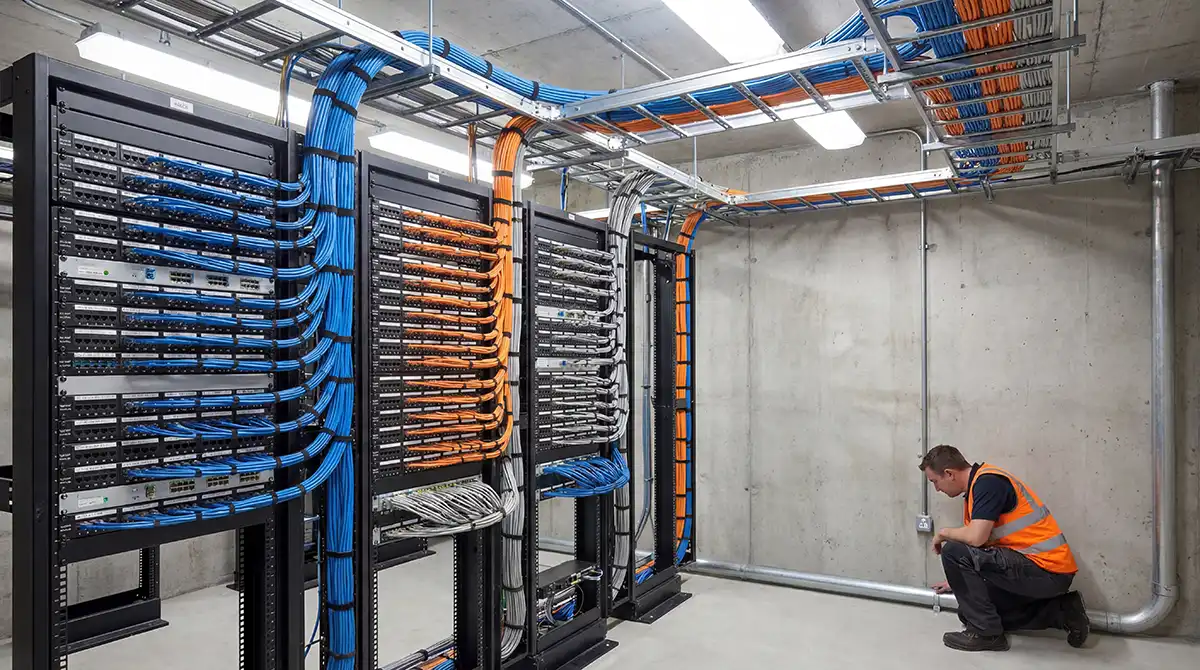
- IT rack and cable management verification
- Controls, BMS and DCIM integration testing
- Site Acceptance Testing (SAT) structured documentation
- Snag management and remediation tracking
- Operational handover packs and O&M records
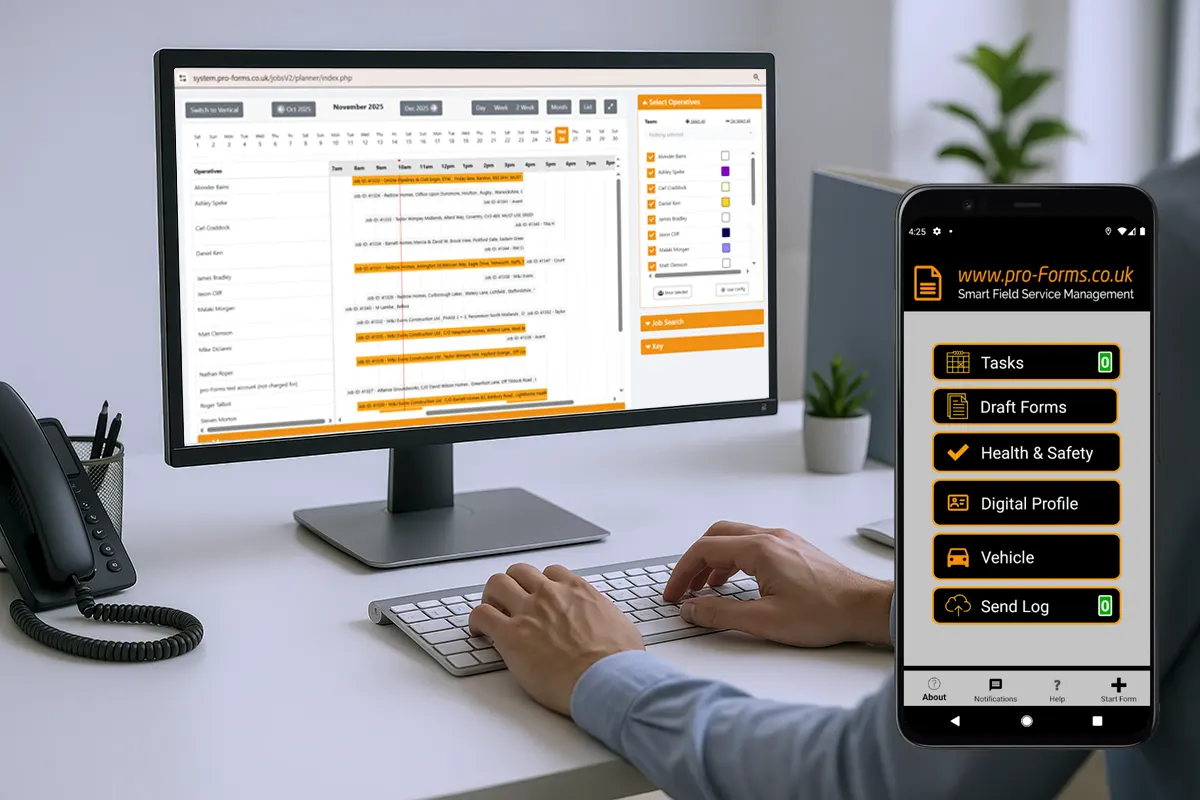
pro-Forms® combines its Mobile Forms Plan and ENTERPRISE ASSET MANAGER to give data centre installation contractors, integrators, and end-user IT teams exactly that capability — with no complex IT infrastructure needed and a free trial to get started.
WHY STANDARD APPROACHES FALL SHORT
The Real Costs of Unstructured Commissioning
Without a dedicated platform, data centre installation projects routinely face the same avoidable problems — each of which directly affects programme delivery, client confidence, and operational readiness.

Paper & PDF checklists
Field-completed paper forms get lost, misread, or left unsigned. PDF completions are difficult to search and impossible to aggregate into a live project view.
Spreadsheet asset registers
Module component registers managed in spreadsheets quickly become out of sync between office and site — with no version control, no field-update capability, and no audit trail.
Incomplete FAT evidence
Factory test results scattered across email threads and shared drives make it impossible to verify which assets were tested, to what standard, and by whom.
SAT snag backlogs
Without a structured snag register linked to specific assets, remediation items fall through the cracks — delaying practical completion and frustrating clients at handover.
Thin handover documentation
Clients and facilities teams are handed thin O&M packs that don’t reflect the actual installed asset register, leaving them without the operational baseline they need.
Compliance and warranty exposure
Inadequate commissioning records create exposure under compliance frameworks, void warranty conditions, and complicate insurance assessments if issues arise post-handover.
THE pro-Forms® SOLUTION
Two Plans Working Together for Complete Project Control
pro-Forms® provides two complementary plans — Mobile Forms and ENTERPRISE ASSET MANAGER — that together give data centre installation teams end-to-end control from first-fix through to operational handover.
Plan 1 – Mobile Forms: Structured Data Capture in the Field
Replace paper and PDF checklists with structured, validated digital forms that engineers complete on any iOS or Android device — online or offline.
Custom commissioning forms
Build FAT, SAT, pre-installation inspection, and handover forms precisely matched to your modular data centre scope — required fields, dropdown selections, photo capture, and digital signature.
Photo & document evidence
Engineers attach photos, add test results and supporting information directly within each form submission — keeping all evidence against the relevant task and asset.
Digital signatures & witness sign-off
Capture engineer, supervisor, and client sign-off digitally on-device — with date, time, and user stamp — eliminating disputes over whether checks were completed and approved.
Offline capability
Engineers working in screened plant rooms or secure suites can complete forms offline; submissions sync automatically when connectivity is restored.
Instant notifications & escalation
Configure automated alerts so project managers receive immediate notification when a critical test fails, a snag is raised, or a sign-off milestone is reached.
Live completion reporting
Monitor form completion rates by module, discipline, and engineer in real time — giving project managers the progress visibility they need to maintain programme delivery.

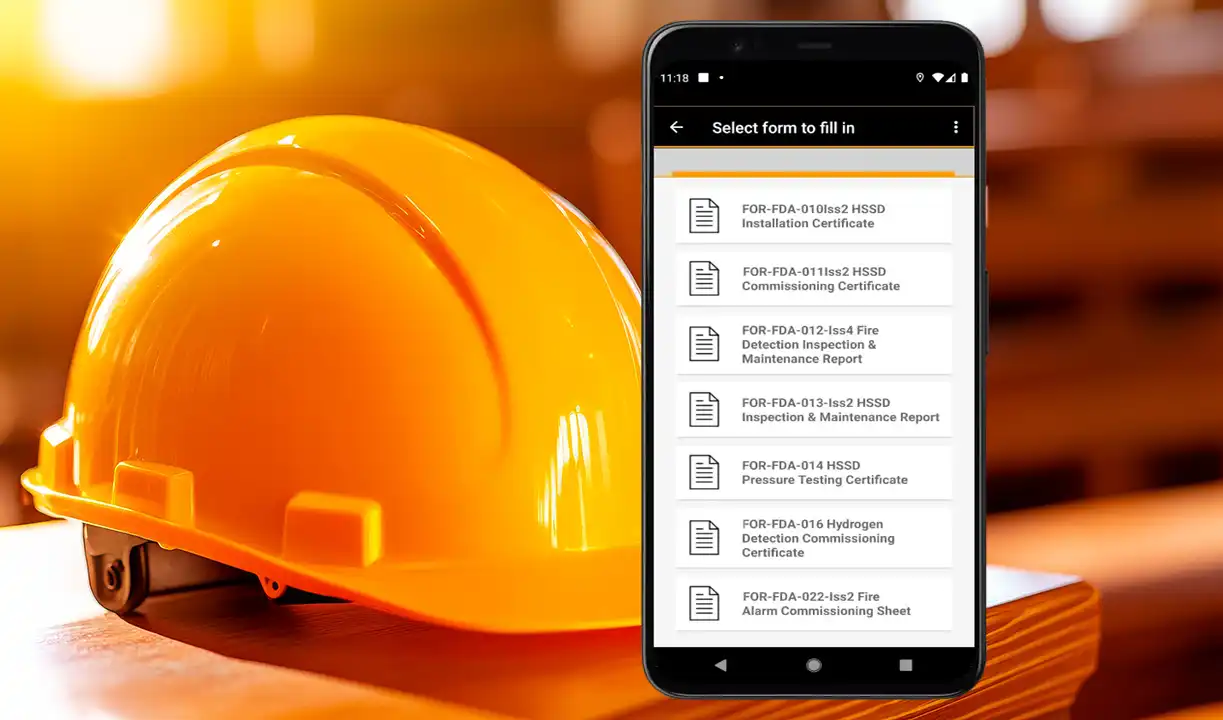
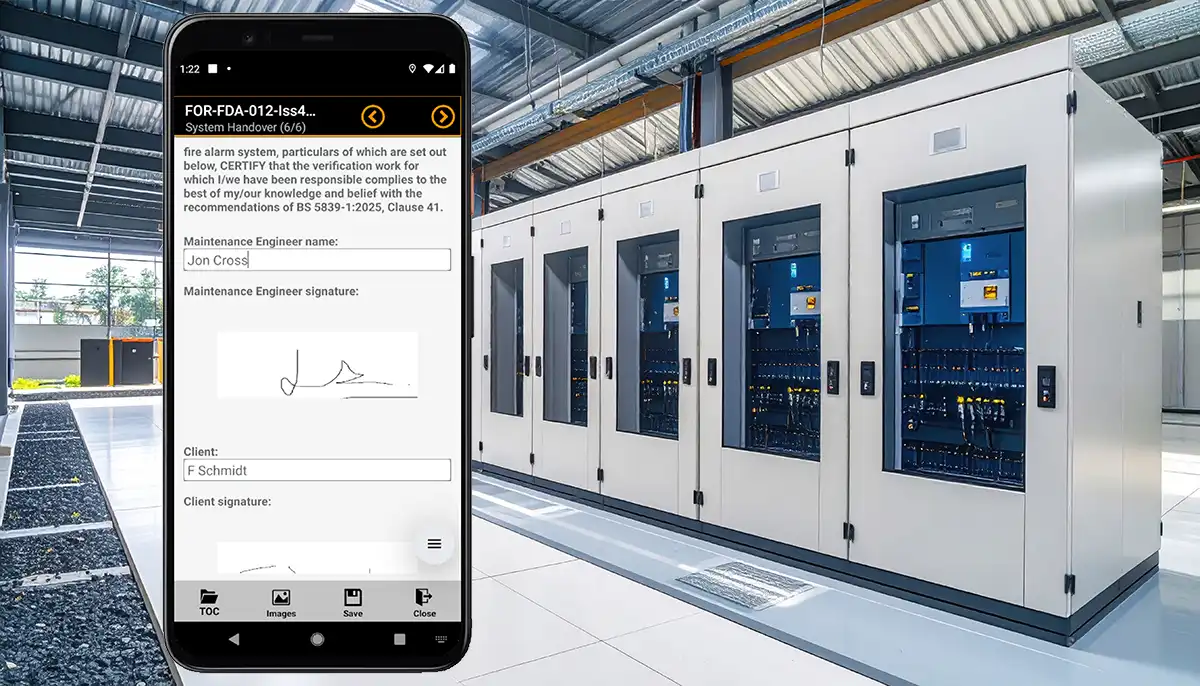
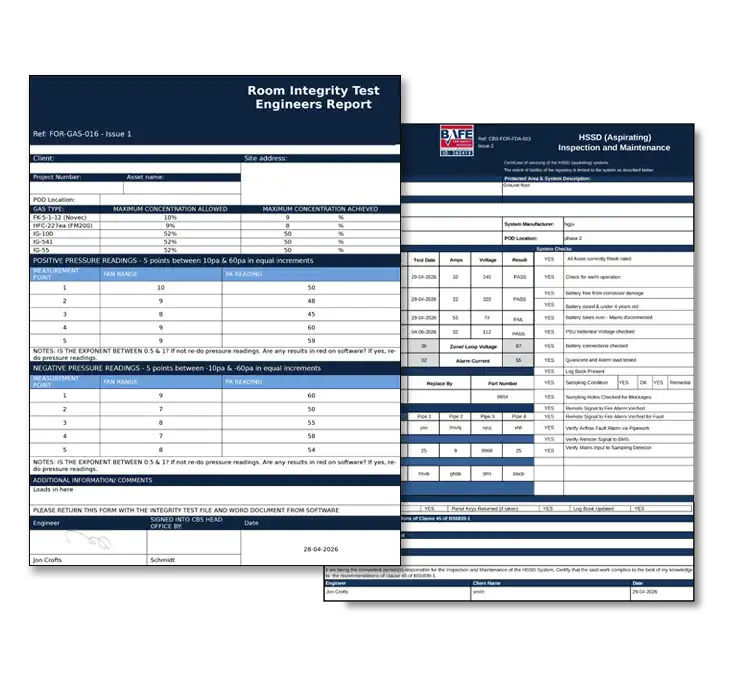
Data Centre use cases — Mobile Forms:
- FAT completion forms with structured test evidence and certificate information
- Delivery and receipt inspections capturing component condition on arrival
- Pre-installation electrical, mechanical, and containment verification checklists
- Power distribution unit (PDU) and UPS commissioning test records
- Cooling unit start-up and performance validation forms
- BMS/DCIM integration verification and alarm testing documentation
- Snag capture forms with photo evidence, location reference, and engineer assignment
Plan 2 – ENTERPRISE ASSET MANAGER: The Modular Data Centre Asset Register
Build and maintain a structured, searchable asset register for every component in the installed solution — from UPS modules to PDUs, cooling units to security panels.

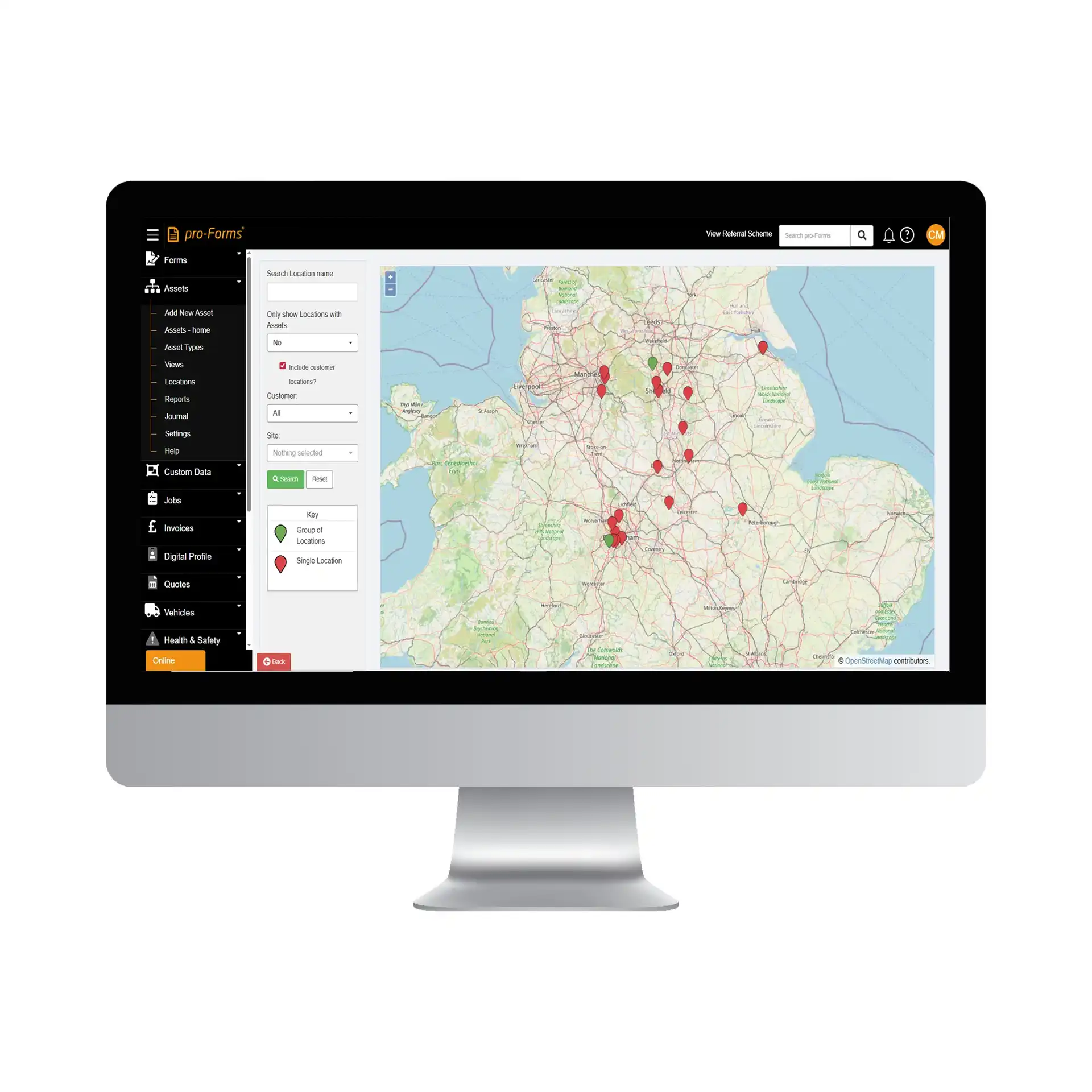
Data Centre use cases – Enterprise Asset Manager:
- Modular data centre component register structured by module, zone, and system
- Power infrastructure: UPS units, batteries, PDUs, switchgear, generator sets
- Cooling assets: precision cooling units, CRAC/CRAH units, containment systems
- IT infrastructure: server racks, patch panels, cable management
- Cooling unit start-up and performance validation forms
- Controls & monitoring: BMS panels, DCIM sensors, environmental monitors
- Security: access control panels, CCTV, tamper detection devices
- Structured Work Packs generated from the live asset register
PROJECT WORKFLOW
From Factory to Fully Commissioned – A Structured Digital Trail
pro-Forms® supports every stage of a prefabricated data centre project, creating a continuous and connected digital record from initial FAT through to operational handover.
CUSTOM DATASETS
Capture the Exact Data Your Modular Data Centre Project Demands
Standard asset management systems record what every business needs. Custom datasets let you capture what your data centre commissioning project specifically requires — no development work, no workarounds, no compromises.
Examples of the sorts of project information that can be captured using custom datasets includes:
– Power infrastructure datasets
– Cooling system parameters
– IT & rack infrastructure data
– Controls & monitoring configuration
– Security & access control records
– Compliance & warranty evidence
Attach test certificates, third-party inspection reports, and warranty registration confirmations as evidence records — ensuring your asset register doubles as a fully populated compliance and warranty management tool from handover.
AUDIT READINESS
Commissioning Records That Stand Up to Scrutiny
Data centre commissioning documentation is examined by clients, insurers, compliance auditors, and warranty providers. pro-Forms® ensures every record meets the standard required.
| Requirement | Why it matters | How pro-Forms® delivers it | Product Plan |
|---|---|---|---|
| FAT documentation | Contractual obligation; required before delivery acceptance | Mobile forms generate structured, signed FAT records with photo evidence and certificate attachments — exportable as evidence in PDF | Mobile Forms |
| SAT documentation | Required for practical completion sign-off and client acceptance | Structured SAT forms capture system-level test results with engineer and client digital sign-off, timestamps, and supporting evidence | Mobile Forms |
| Installed asset register | Required by facilities management, insurers, and CAFM systems | ENTERPRISE ASSET MANAGER maintains a live, searchable asset register populated during installation — not retrospectively assembled at handover | EAM |
| Audit trail & record integrity | Required for compliance frameworks and dispute resolution | Every completed document is automatically logged with user identity, timestamp, and change detail — providing an irrefutable commissioning history | EAM |
| Warranty documentation | Required to protect warranty conditions and support claims | Warranty certificates and registration confirmations attached to individual asset records — searchable and accessible at any time | EAM |
| Snag register & resolution | Required for defects liability and contract close-out | Linked snag records against specific assets capture issue description, photo evidence, assigned engineer and remediation sign-off | EAM |
PLANS & PRICING
The Two Plans Built for This Sector
Start with Mobile Forms alone for field data capture, add ENTERPRISE ASSET MANAGER for the full asset lifecycle, or run both together for complete project control — all with a free trial.
Mobile Forms
Structured digital forms for field engineers — replace paper checklists with validated, signed, evidence-rich mobile records.
→ Custom form builder — no coding
→ iOS & Android mobile app
→ Offline capability
→ Photo & document evidence capture
→ Digital signatures & timestamps
→ Automated notifications & alerts
→ Live completion reporting
→ PDF output for client delivery
ENTERPRISE ASSET MANAGER
The operational asset register for modular data centres — built during commissioning, handed over to the client, maintained in operation.
→ Hierarchical asset register
→ Custom datasets — any data field
→ Document & certificate library
→ Serial number & warranty tracking
→ PPM schedule management
→ Complete audit trail
→ Mobile asset management app
→ Open API & integrations
Prefabricated Data Centre Installation & Commissioning FAQs
Can pro-Forms® be used by multiple engineers on the same project simultaneously?
Yes. pro-Forms® is a cloud-based, multi-user platform — any number of engineers can be completing different forms or updating different asset records at the same time, with all data centralised and visible to project managers in real time. This makes it well suited to the multi-discipline commissioning environment of a modular data centre deployment.
Can the asset register be pre-populated before arriving on site?
Yes. Asset records within ENTERPRISE ASSET MANAGER can be created in advance using import tools — for example, from a bill of materials or equipment schedule provided by the modular data centre manufacturer. Engineers then update and verify those records on site as components are received, installed, and commissioned.
What happens to the system after commissioning is complete?
The ENTERPRISE ASSET MANAGER becomes the operational asset management and maintenance platform for the data centre going forward. The client inherits a fully populated asset register, complete commissioning history and all documentation, — transitioning from project delivery tool to ongoing operational system without any data migration or re-entry.
How are custom datasets configured for a specific data centre project?
Custom datasets are configured through the pro-Forms® administration interface — no coding or development work is required. You define the data fields you need (text, number, date, dropdown, file upload, etc.), organise them into logical groups, and attach them to the relevant asset types or form templates.
Is pro-Forms® suitable for contractors as well as end-user organisations?
Yes. pro-Forms® is used by both installation and commissioning contractors — who use it to manage the project delivery process — and by end-user organisations or facilities management teams who use it to manage the operational asset lifecycle post-handover.
Is there a free trial available?
Yes — free trials are available for both the Mobile Forms plan and the ENTERPRISE ASSET MANAGER plan independently or you can trial both together. No credit card is required. The pro-Forms® team can also provide a guided demonstration specifically focused on data centre installation and commissioning workflows.
FURTHER READING
Related Resources
Using an Asset Management System to Control Installation & Commissioning for Prefabricated Data Centre Solutions
www.pro-forms.co.uk/asset-management-solution-modular-data-centres/
Custom Datasets: How to Tailor Your Asset System for Better Data & Better Decisions
www.pro-forms.co.uk/custom-datasets-for-better-business-decisions/