
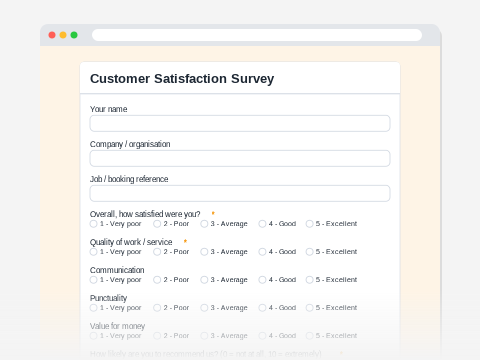
Customer Satisfaction Survey template
Short post-job survey covering quality of work, communication, punctuality and likelihood to recommend.
Opens in a free trial with this form ready to use.
Download printable PDF (56 KB)This template is provided as a starting point only. pro-Forms accepts no liability for the accuracy or suitability of its forms. Check every form with a suitably qualified person before using it in a live environment.
About this template
A short online survey to send after a job or service. Customers rate their overall satisfaction, quality of work, communication, punctuality and value for money, give a 0 to 10 likelihood-to-recommend score, and say what went well and what could be better.
They can choose whether you may contact them about their feedback. Every response is stored with its job reference, so you can follow up unhappy customers quickly and track scores over time.
What's on this form
Every field in the template, grouped as it appears on the page. Required fields are marked *.
1. Your feedback
- Your name Text
- Company / organisation Text
- Job / booking reference Text
- Overall, how satisfied were you? * 1 - Very poor / 2 - Poor / 3 - Average / 4 - Good / 5 - Excellent Choice
- Quality of work / service * 1 - Very poor / 2 - Poor / 3 - Average / 4 - Good / 5 - Excellent Choice
- Communication 1 - Very poor / 2 - Poor / 3 - Average / 4 - Good / 5 - Excellent Choice
- Punctuality 1 - Very poor / 2 - Poor / 3 - Average / 4 - Good / 5 - Excellent Choice
- Value for money 1 - Very poor / 2 - Poor / 3 - Average / 4 - Good / 5 - Excellent Choice
- How likely are you to recommend us? (0 = not at all, 10 = extremely) * Choice
- What did we do well? Paragraph
- What could we improve? Paragraph
- May we contact you about your feedback? Yes / No Choice
- Email address Text
Questions about this template
What is a Net Promoter Score?
The 0 to 10 recommend question gives you NPS: the percentage of promoters (9 or 10) minus the percentage of detractors (0 to 6). It is a simple way to track customer loyalty over time.
When should the survey be sent?
Soon after the job is finished, while it is fresh in the customer's mind. You can send the link automatically when a job sheet is completed.
Can responses be linked to a job?
Yes. The job or booking reference connects each response to the work it is about.
More Heating & Plumbing templates
All 12 templates →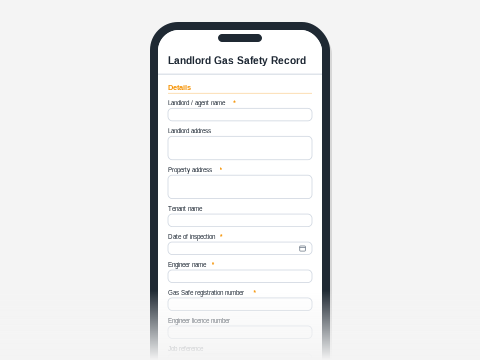 Landlord Gas Safety Record
Annual landlord gas safety record covering every appliance: flue, ventilation, operating pressure, safety devices and combustion readings.
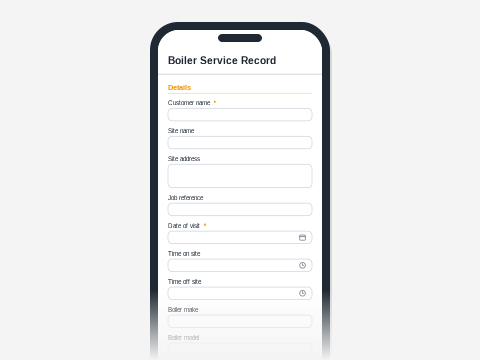 Boiler Service Record
Annual boiler service: visual checks, cleaning, seals, combustion analysis, safety devices and system pressure.
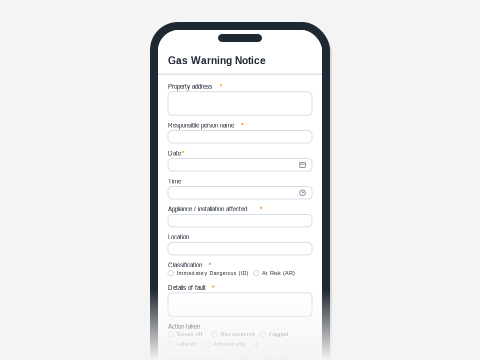 Gas Warning Notice
Record an unsafe gas situation, classified Immediately Dangerous or At Risk, with action taken and the responsible person's acknowledgement.
 Job Sheet
Record a site visit: work carried out, parts and materials used, time on site, photos and customer sign-off.